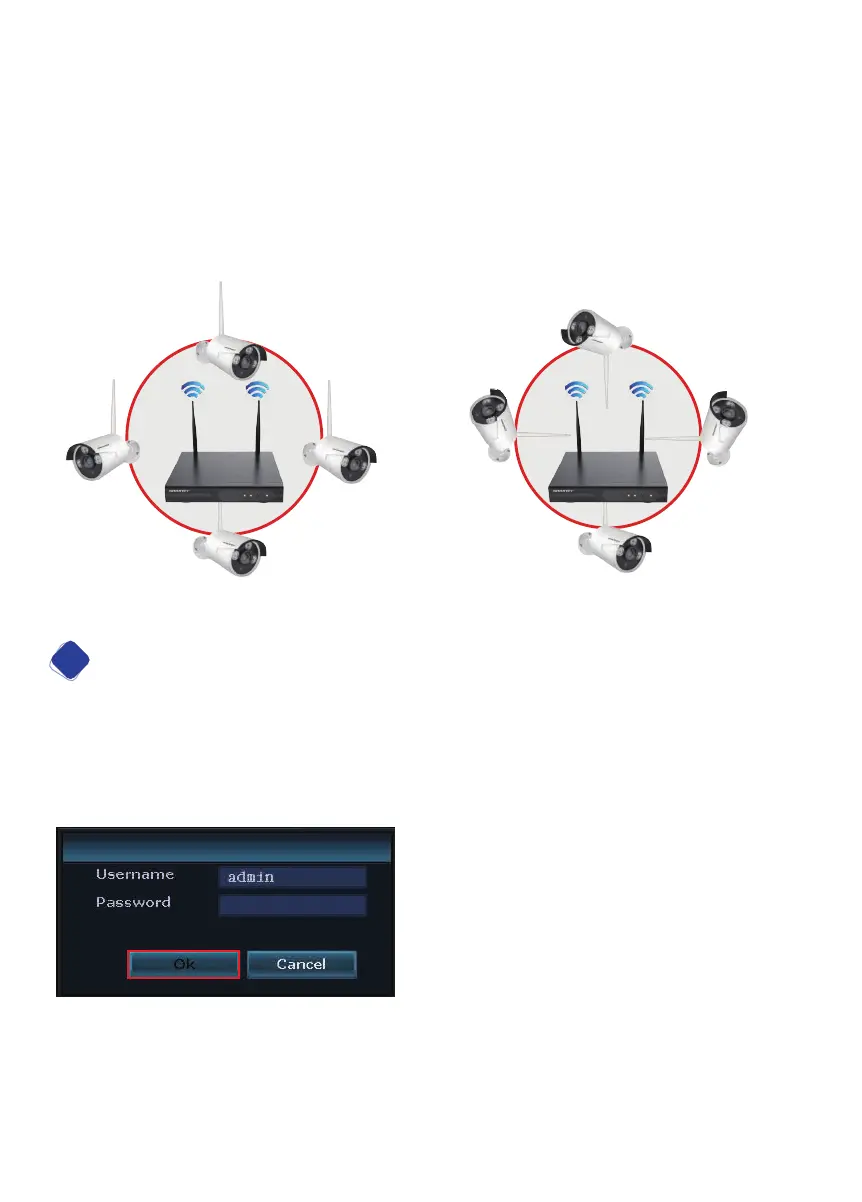
Best placement of cameras in their final location
The NVR’s signal coverage is circular with the NVR’s antennas in the center. Signal
is strongest around the combined NVR antennas and weak in the area immediately
between the 2 antennas. For best signal reception the cameras should be placed
around the NVR and as close to the same horizontal plane as the location of the
NVR. The camera antennas should be vertical or perpendicular to the orientation of
the antennas on the NVR.
Password Management and Internet Connection
2
Log in: Right click your mouse to open the main menu on the home screen. Click
System Setup and the password page will appear.
NOTE: The Default Username is “admin” and a Password is not required. Leave
the password field blank. Simply click Login to access the System Setup menu.
Setting a Password: Right click on the home screen of your monitor, navigate to
System setup > System admin, click User on the left menu bar > Set password(Re-
quest: 8 Characters Max.. Keep it short.). Create a password and type it in the field,
repeat new password, click ‘OK’. Be sure to remember your password.
05
Best wireless signal
Worst wireless signal


 To Next Page