
 Need help?
Do you have a question about the Snapmaker Enclosure and is the answer not in the manual?
Lists all necessary tools for the enclosure assembly process.
Provides helpful advice for a smoother enclosure assembly.
Explains the meaning of icons used throughout the installation guide.
Get the front plate and the left side plate ready for assembly.
Construct the base of the enclosure using frame pieces and corner brackets.
Build the top section of the enclosure frame.
Attach the four main frame pieces to the bottom assembly.
Mount the filament holder and protective ring to the back plate.
Slide the back and right side plates into the enclosure frame.
Secure the assembled top frame onto the enclosure structure.
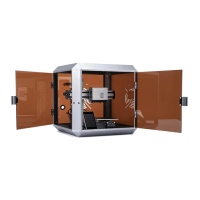
Attach the front door and left side door to the enclosure.
Ensure all screws are fully tightened for structural integrity.
Instructions for removing filament before using the enclosure.
Steps to safely power off the 3D printer and unplug the adapter.
Place the 3D printer into the enclosure with a slight tilt.
Insert the power cable and power on the machine.
Hang filament over the holder and insert into the Teflon tube.
Insert the filament into the holder and load it.
 General
| Compatibility | Snapmaker 2.0 A150, A250, A350 |
|---|---|
| Noise Reduction | Yes |
| Dustproof | Yes |
| Material | Acrylic |
| Weight | Varies by model |
| Features | LED strips |
| Accessories Included | LED strip |
| Dimensions | Varies by model (A150/A250/A350) |

 To Next Page

