snapnrack.com
18
MLPE & RSD Installation
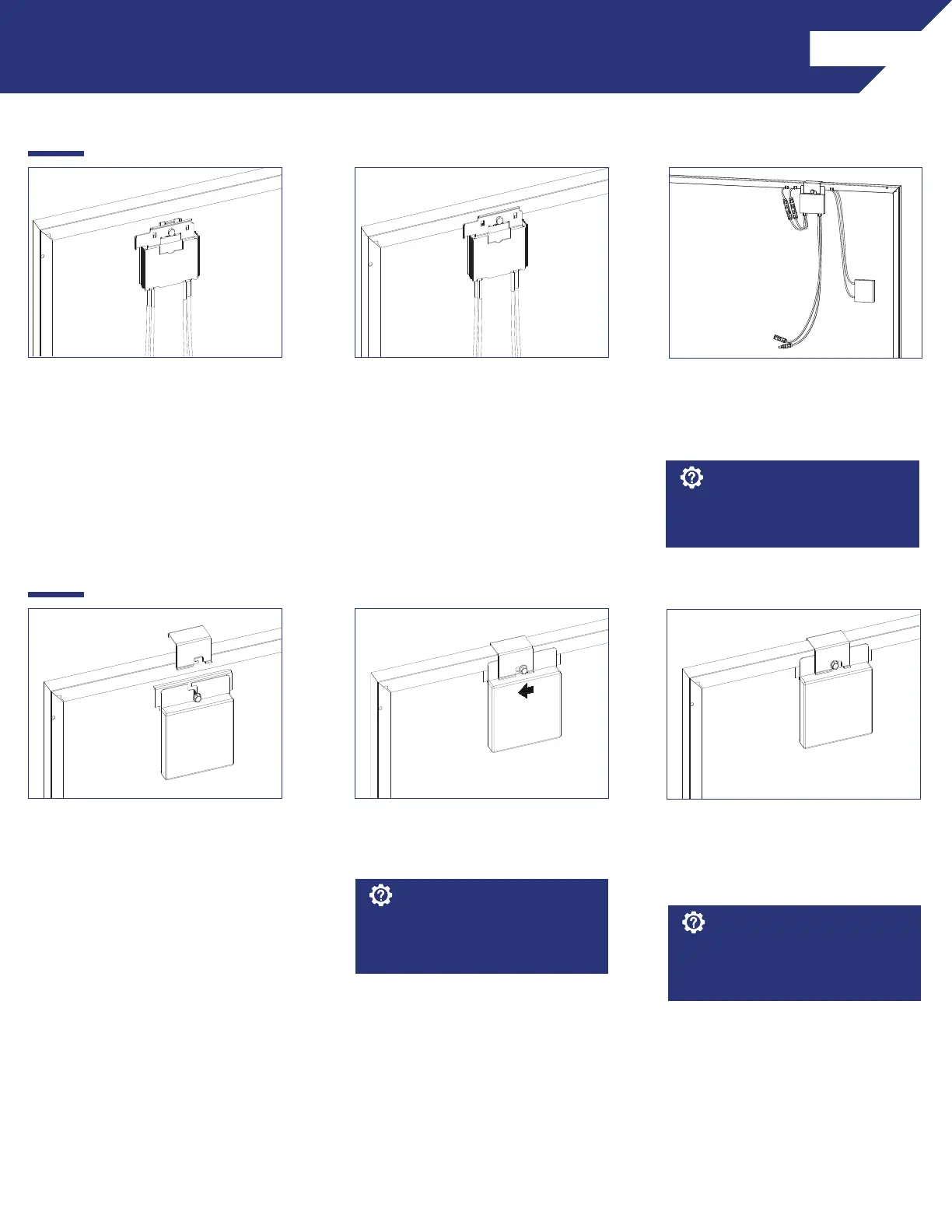
INSTALLATION INSTRUCTIONS - SOLAREDGE FRAME MOUNT
1) Locate the SolarEdge optimizer
with Frame-Mounted Module Add-
On at a location on the module
frame that will not interfere with the
TopSpeed
TM
Mounts.
2) Install the optimizer mounting
plate onto the module frame and
tighten hardware to 11 ft-lbs.
3) Connect the module leads to the
input connectors on the optimizer
and manage conductors with
SnapNrack Smart Clips.
If module is mounted in portrait,
install MLPE on long side, short side
for landscape.
Install Note:
INSTALLATION INSTRUCTIONS - ENPHASE FRAME MOUNT
1) Locate the Enphase Frame Mount
bracket clamp at a location on the
module frame that will not interfere
with the TopSpeed
TM
Mounts.
2) Slide the microinverter unit onto
the bracket clamp, then move it
slightly to the left.
3) Tighten the hardware to 13 ft-lbs.
4) Connect module leads to
microinverter DC connectors.
The microinverter mounting flange
should be on the outside of the
module frame.
Install Note:
Refer to the Enphase Frame Mount
installation guide for additional
instructions.
Install Note:



 To Next Page