13 • EN
Return to contents
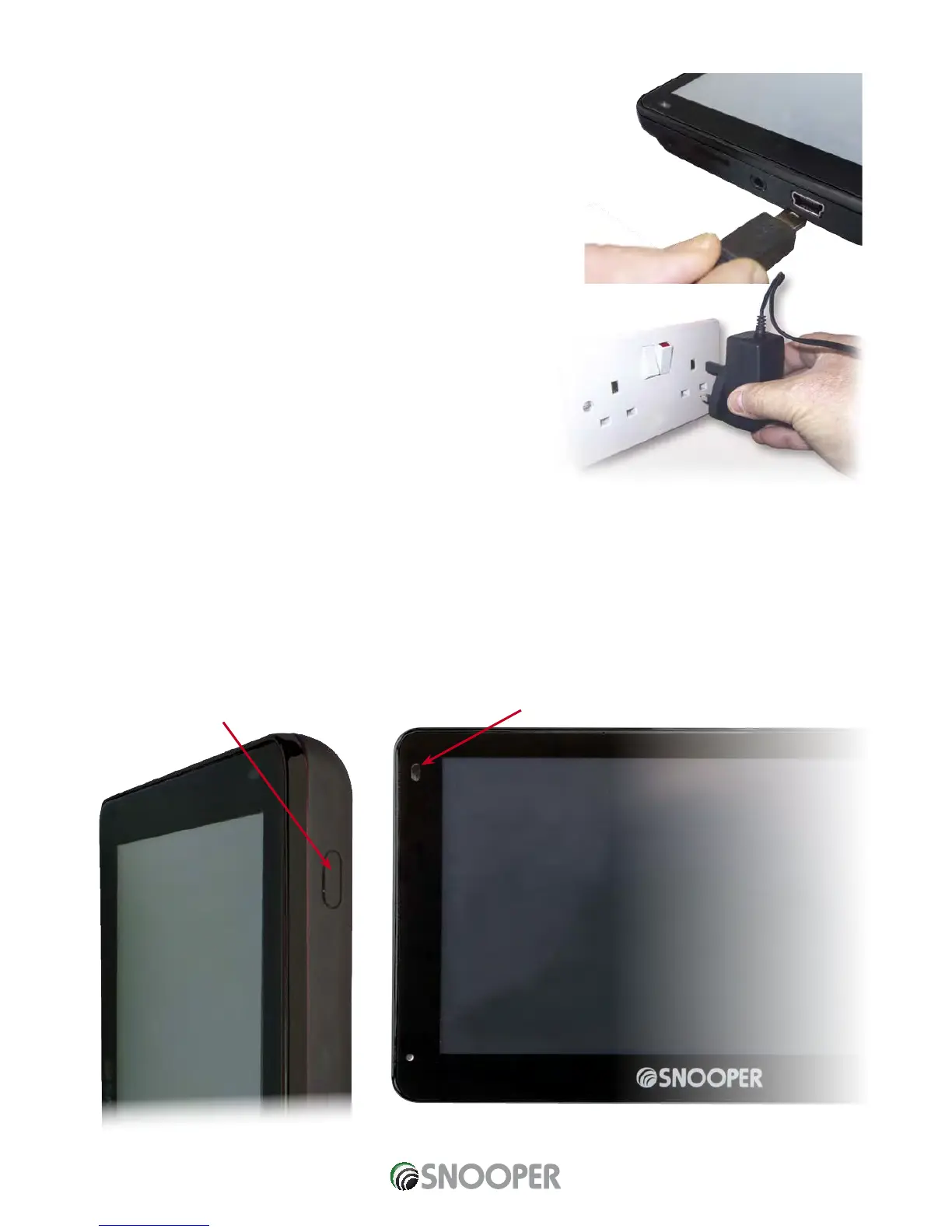
Plug the charger into a
240V AC mains socket
Charging the internal battery
Although Snooper can be charged using the cigarette lighter in your vehicle, a
complete charge is more easily achieved by using the 240V AC mains charger
included. When new, the battery contains a nominal charge.
To charge the unit fully, connect the 240V AC mains charger as indicated in the
picture on the right. The battery light on Snooper will illuminate and will take
approximately 3 hours to charge. When the internal battery is fully charged, the red
LED will switch turn blue.
Note: The new battery’s full performance is only achieved after two or three
complete charges and discharges.
Powering Snooper using the built-in battery
Once Snooper is fully charged, it is ready for use. Press and hold the standby/power switch on the top left hand side of the unit for 2
seconds to switch on the device.
On Battery - No LED
On Charge - RED
Fully Charged - Blue
ON/OFF
switch
Plug the
charger cable into
the USB socket on the
left hand side
of the Snooper













 To Next Page