54 • EN
Return to contents
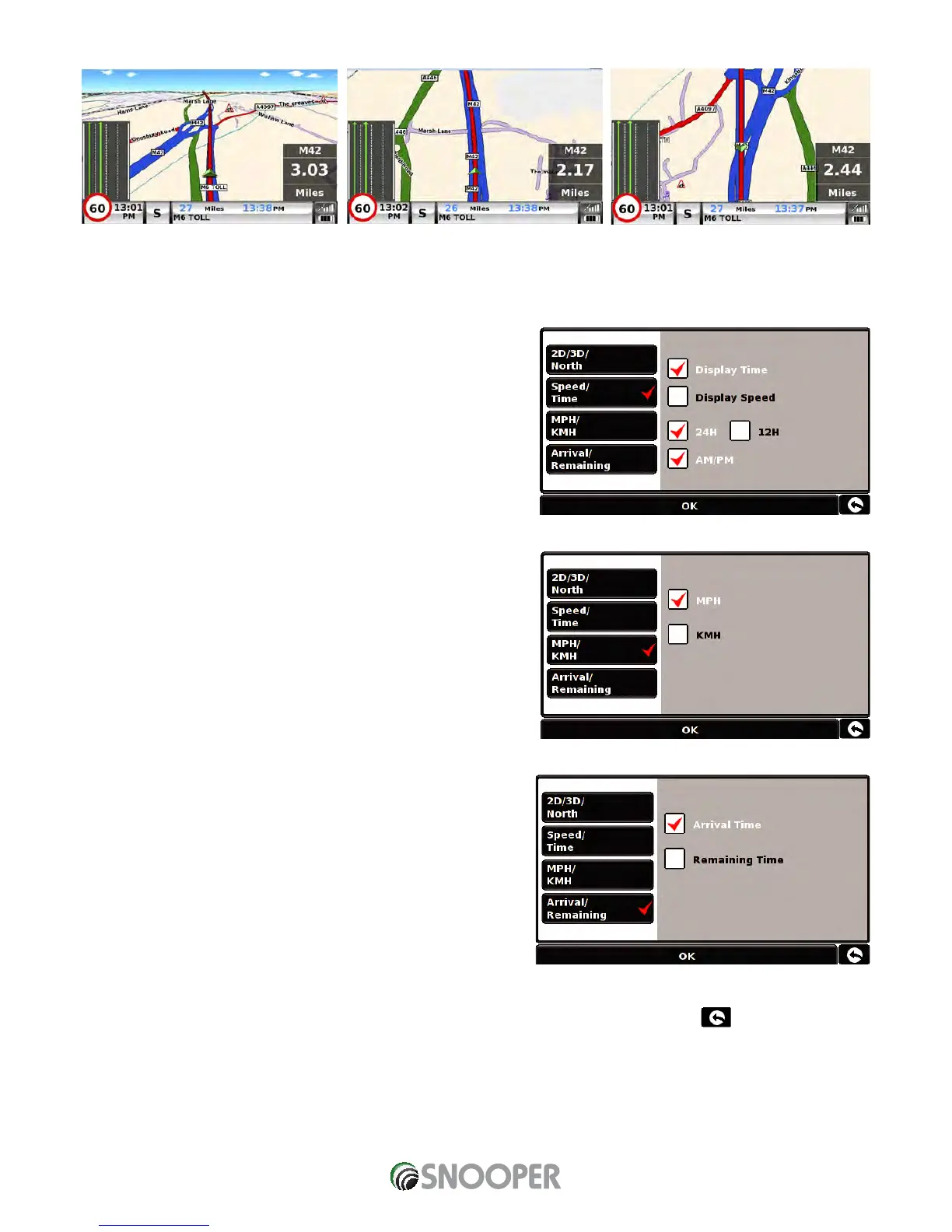
This facility customises the map view between
To make your selection, touch the relevant tick box with your finger.
5.6.2 Speed/Time
This option allows you to change the information displayed in the bottom
left hand side of the navigation screen between the vehicle speed and the
current time. You can also specify if you want to display a twelve or twenty-
four hour clock and whether to display ‘am’ and ‘pm’.
To make your selection, touch the relevant tick box with your finger.
5.6.3 MPH/KMH
This option allows you to switch the information on Snooper between
imperial and metric measurement.
To make your selection, touch the relevant tick box with your finger.
5.6.4 Arrival/Remaining
This option allows you to display either the estimated time of arrival (ETA)
or the estimated remaining time left for your journey towards the bottom
of the navigation screen.
To make your selection, touch the relevant tick box with your finger.
To save any of the changes press the ‘OK’ button at the bottom of the
display.
If you wish to keep the settings unchanged you can exit the ‘Setup’ menu by pressing the return arrow located in the bottom
right hand corner of the display.
Your new settings will now be saved and will appear on the screen each time you use Snooper.
3D 2D North












 To Next Page