13
18.Manual focus and zoom
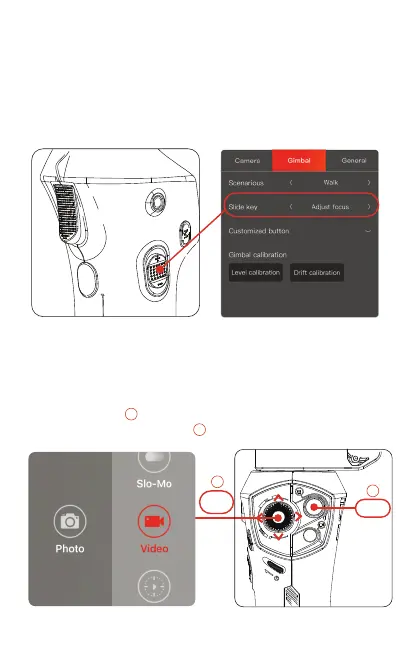
[1] Connect the Snoppa app to the ATOM by Bluetooth.
[2] In the gim bal setting, assign the slide key to “Adjust focus” or
“zoom”.
[3] Now the phone camera focus or zoom can be controlled with
the slide key.
19. Function menu
move
press
2
2
1
1
When the ATOM is connected with the Snoppa app, the function
menu can be called up by clicking the menu key on the handle
Call up the menu ,choose dierent video modes or photo
modes by moving the joystick .


 To Next Page