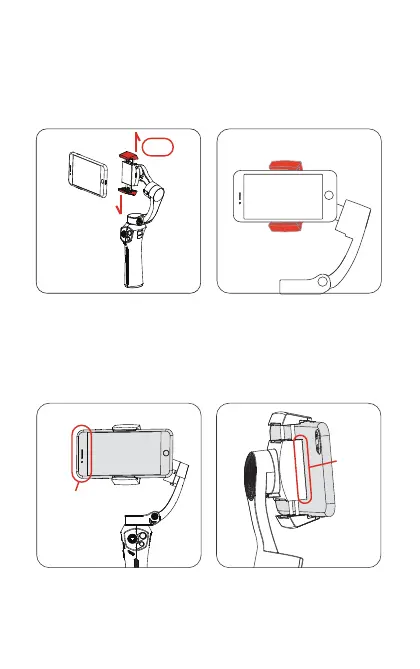
4. Mounting the phone
[1] Mount the phone into the phone holder in the middle position.
[2] Mount the phone with the camera on the left checking that
the camera is not blocked. Make sure the back of the phone is at
and ts the phone holder well without a gap.
Notice: The gimbal will vibrate if the phone holder is empty. Make
sure to mount the phone before starting up the gimbal.
Center
Good t
Camera side
4
Pull


 To Next Page