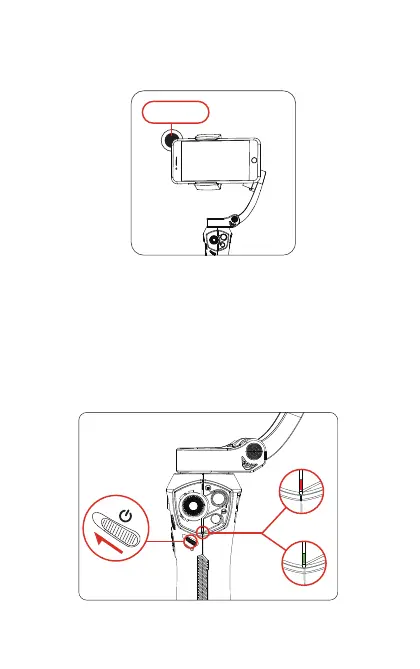
5. Power on/o
[3] When mounting an add-on lens, move the phone to the right
to make the center of gravity allign with the center of the phone
holder.
Add-on lens
Move rightward
to balance
On:Move the power key up to turn on the gimbal, and the power
indicator becomes constant green. If the power indicator shows
red, it means the gimbal battery is low and needs to be charged.
O:Move the power key up and hold for 2 seconds until the
power indicator goes o.
Low battery
Normal power
5



 To Next Page