3
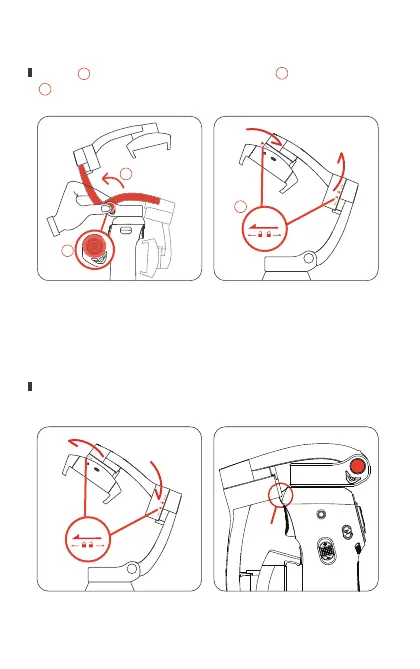
3. Opening and closing the ATOM
Notice:If either motor is locked when the gimbal power is on,
the motor will beep for a while and the gimbal will enter standby
mode. To start the gimbal normally, make sure to unlock the
motors before startup.
Open: press and hold the spring button to open the arm,
unlock the roll and tilt motors by turning the motor lock.
Close: turn to lock the tilt and roll motor separately, press and
hold the spring button and fold the arm.
Unlock
Unlock
Press
1
1
2
3
3
2


 To Next Page