Notice: Keep the gimbal still during the drift calibration, otherwise
it may aect the calibration result.
8
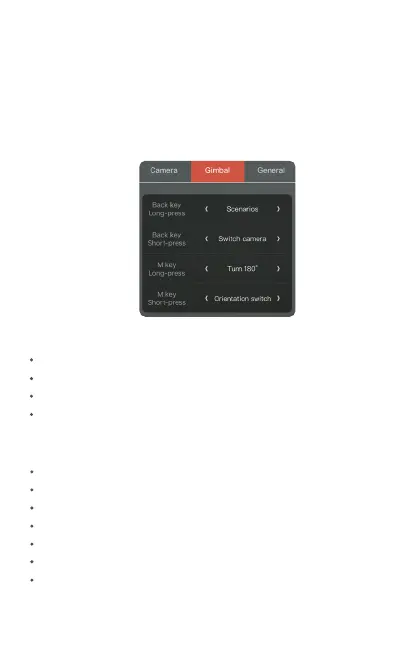
10. Customizable key
The customizable keys can be dened in the Snoppa App setting
menu. Setting—Gimbal—Customizable button
Customizable key options:
Follow modes switch
Orientation switch
Wireless charge
Turn 180˚
Switch camera
Parameters
Scenarios
Customizable key list:
Customizable back key——Long press
Customizable back key ——press
Customizable M key——Long press
Customizable M key ——press


 To Next Page