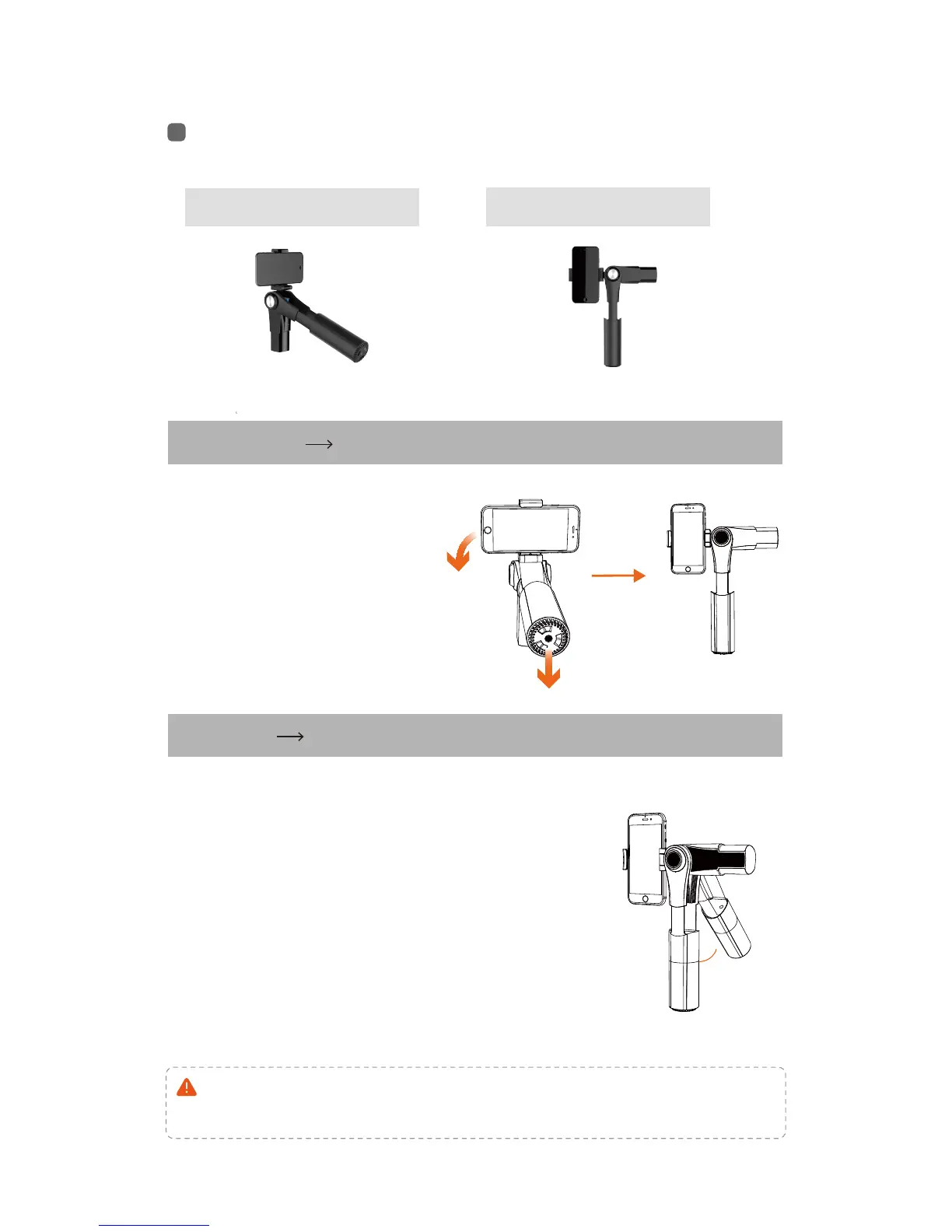
Horizontal & Vertical shooting
Horizontal
Vertical
SWITCH
Horizontal
Vertical
Auto switch:
>45
o
Manual:
Notice: it is important to choose the proper counterweight
which adapts to the mobile phone’s weight.
raise the grip up to 45 degree, and the
phone holder will turn automatically to
horizontal direction.
directly hold the mobile phone and
rotate to a normal horizontal direction.
Horizontal shooting
Vertical shooting
Hold the grip vertically,
and turn the phone 90
degree left or right, and
hold for one second.


 To Next Page