Tracking Modes
Switch tracking modes
With Snoppa app connected
without Snoppa app
press indicator button
(switch on a loop)
Pan track
Pan track
omni track
lock
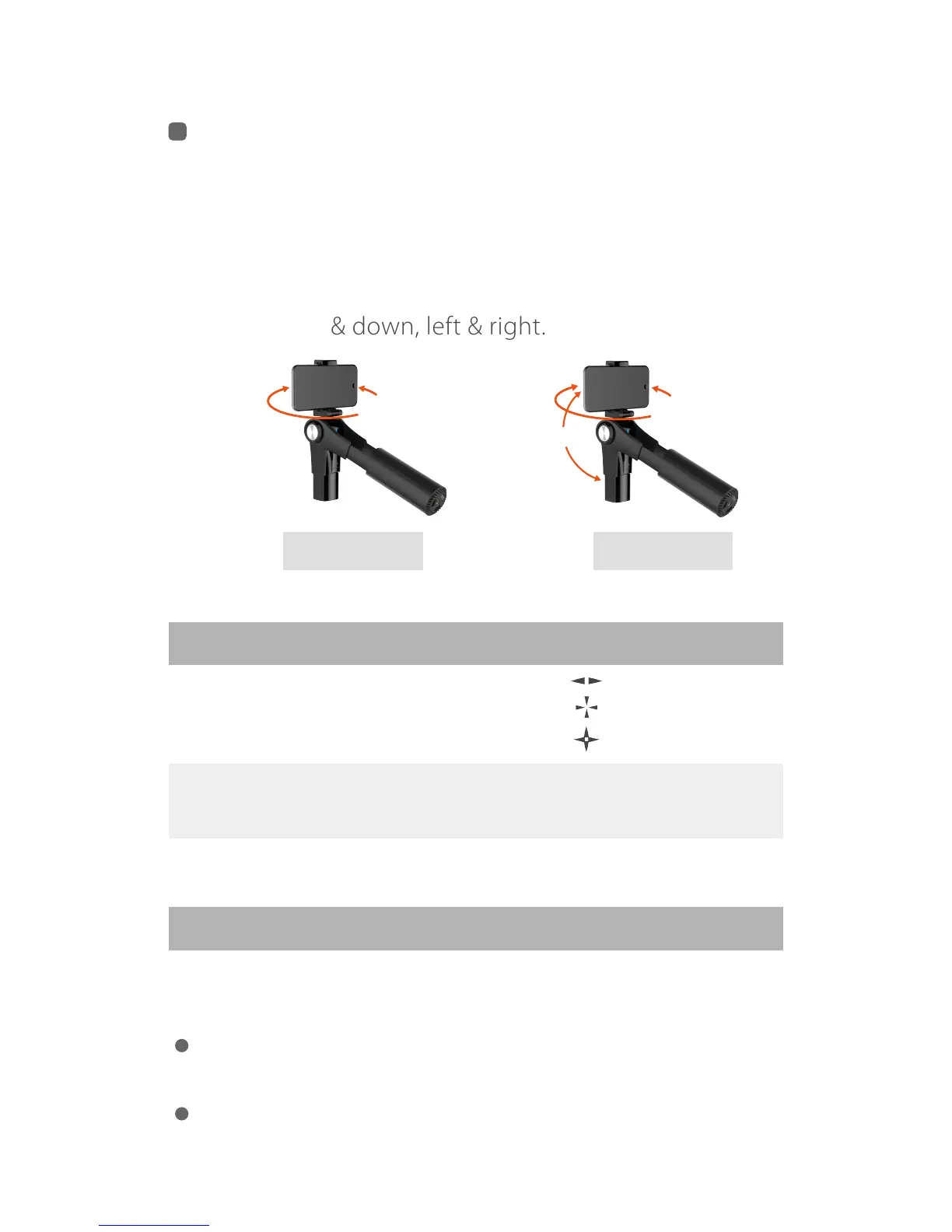
Pan camera by moving the grip left or right.
Shoot in a fixed direction no matter how
the grip moves.
Pan and tilt camera by moving the grip up
& down, left & right.
Omni track
pan
tilt
pan
Angle Adjustment
Hold and rotate the mobile phone to the angle you want
and hold it for one second.
In Lock Mode, pan and tilt angle can be both adjusted
manually.
In Pan Track and Omni Track modes, only tilt angle can
be adjusted manually.
PAN TRACK
LOCK
OMNI TRACK


 To Next Page