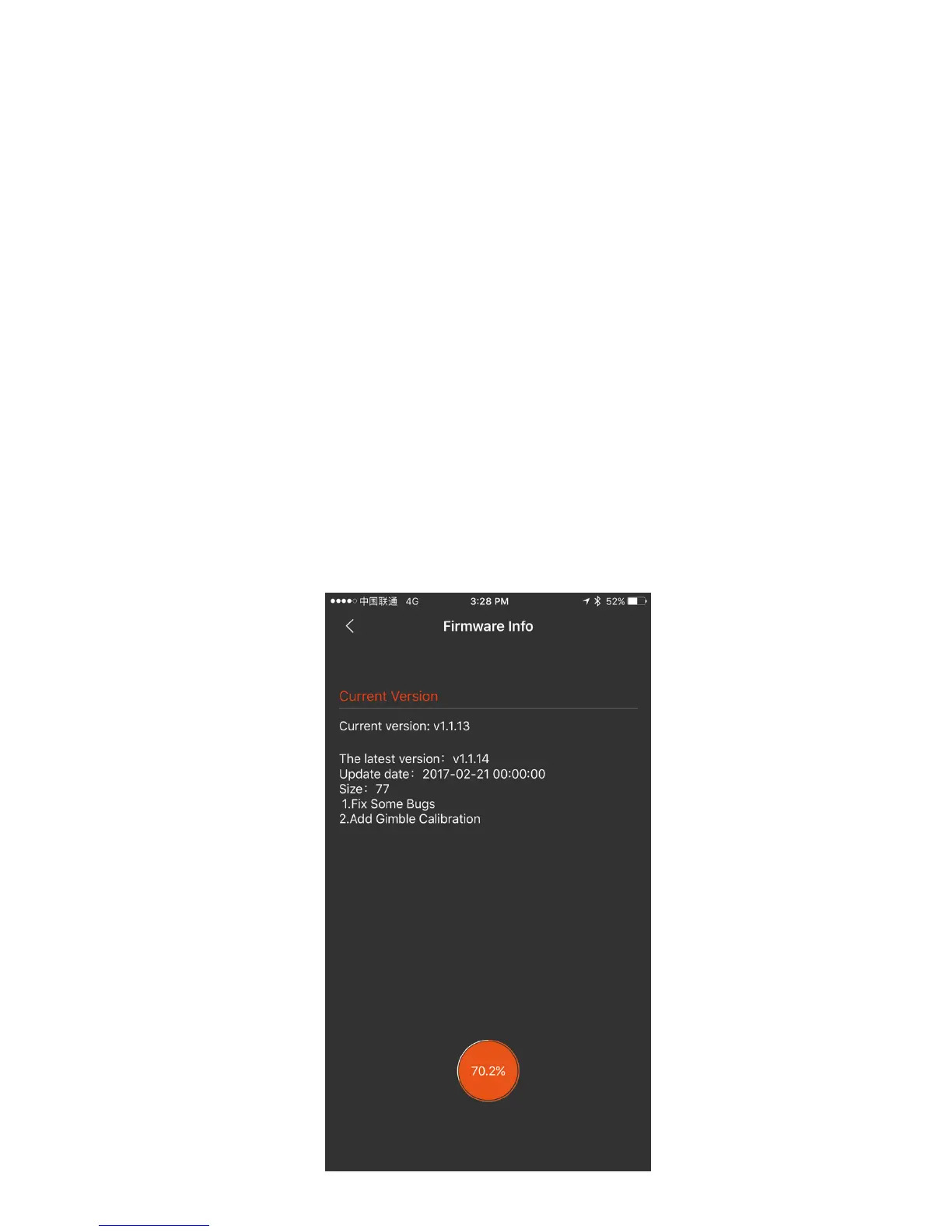
Make sure your smartphone has internet access. Connect
the gimbal with Snoppa App by Bluetooth, enter the
setting menu, choose “Firmware Info”.
You can also manually check for and upgrade to the new
firmware when a new upgrade is available.
FIRMWARE UPDATE
In order to get the best performance out of your gimbal,
please make sure it is upgraded with the latest firmware.
When the Snoppa app is launched a pop-up message
will appear on screen if a new firmware upgrade is
available, prompting you to update.


 To Next Page