A. Without Snoppa App
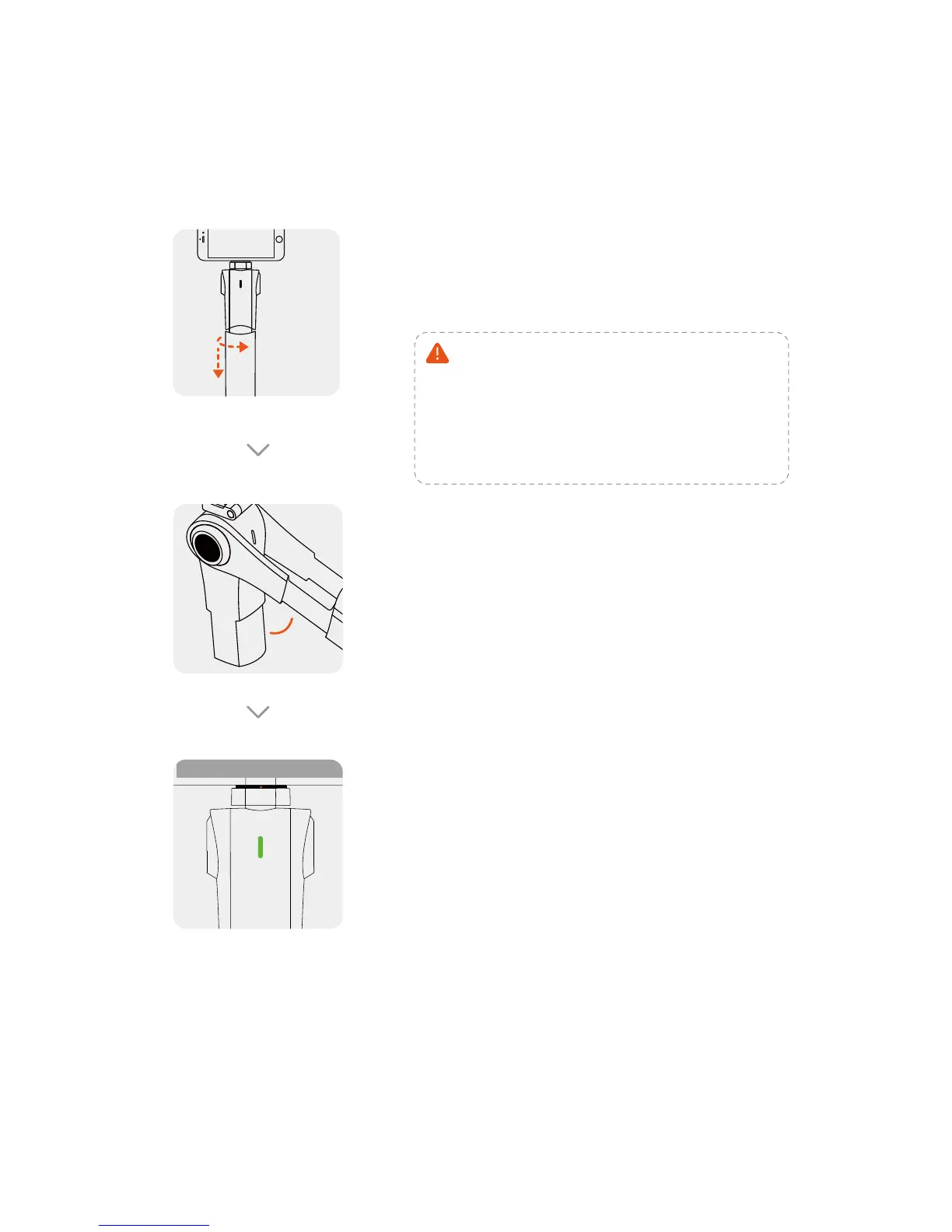
Power off
Twist 90˚ and then pull out (be
careful of pinching hand when
collapse the handle).
Press & hold for 2 seconds until the indicator light goes off.
Rotate the tilt-axis of the phone
until the intersection angle goes
more than 60 degree.
60
o
Press the indicator button,
when it flashes green, press it
again and hold it until the
gimbal starts up. The indicator
light will show a constant
green.
Indicator light/
Function button
Power on
Notic: If the grip is not pulled out
to the end position, the inside
roll-motor will not work properly,
and make the gimbal out of
balance.”
CAUTION
PINCHING
HAND


 To Next Page