Page | 9
Step 2 VC-50 Injection Settings / Screens
Main Screen
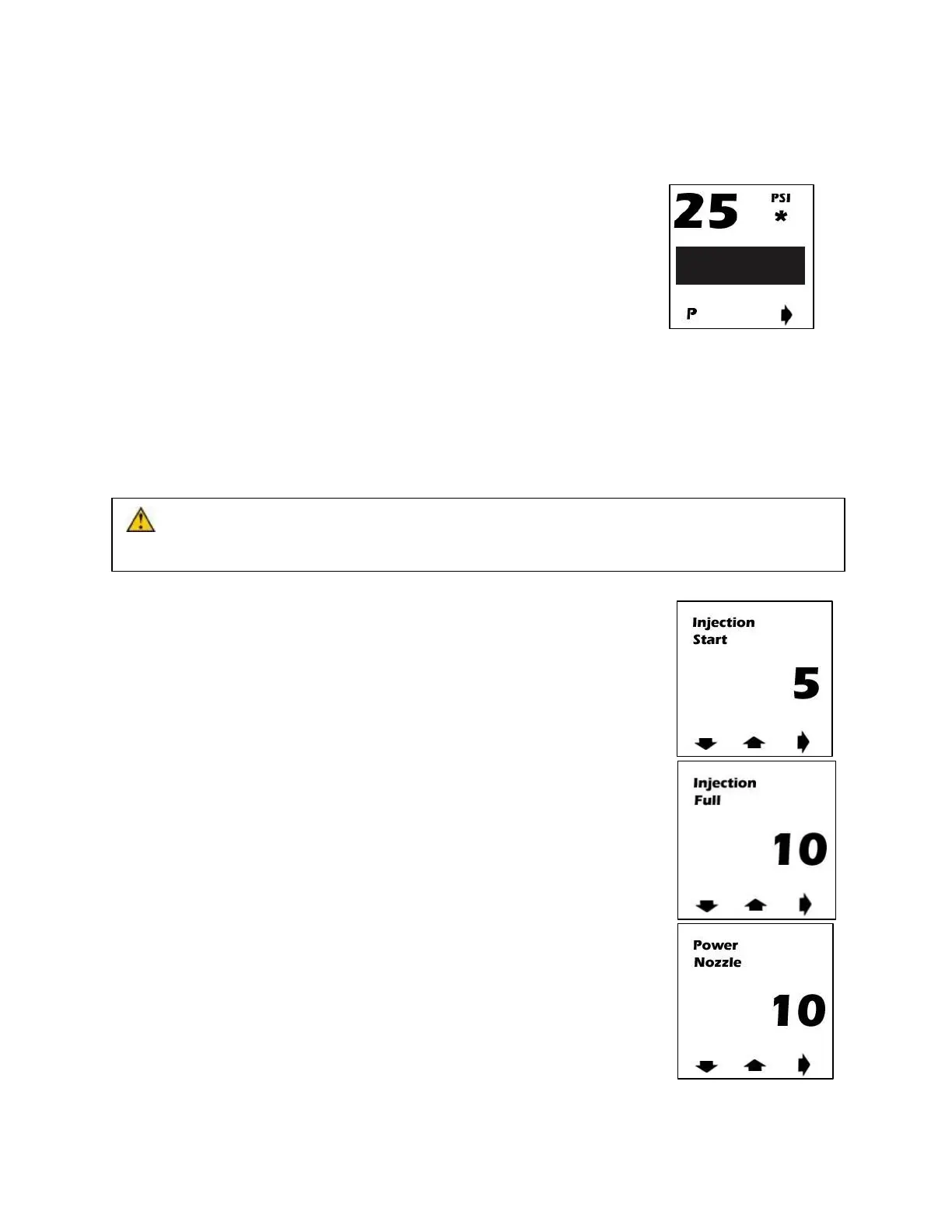
● Main Screen (see right) is used to monitor boost pressure, injection, low
level, second stage activation, and to prime the system.
● To prime the system press the red button underneath “P”. This will
command 100% injection briefly to fully prime the system. ONLY
ENGAGE PRIME WHEN ENGINE IS RUNNING!
● Boost pressure is displayed in PSI on the upper left of the screen
● Percentage of Injection is displayed using the graph in the middle of the screen. When injection
is turned “Off” the graph will display the text “Off”.
● When a low level situation occurs the outside of the screen will blink yellow alerting the user to
fill the water-methanol reservoir.
● (Dual Stage Systems Only) When a second stage of water-methanol is activated an asterisk
will appear where “PSI” is located alerting the user of both stages injecting.
● To enter the setting screens press the red button directly under the arrow on the bottom right.
CAUTION: Do not operate the prime button when the engine is not running. Only engage
priming of the system when the engine is on.
Injection Start
● Setting screen 1 (see right) is used to select what boost pressure will start
injection. This should be set to 1/3
rd
to ½ the engines max boost output
using the red buttons below the up and down arrows to adjust the PSI to
desired setting. Press the red button underneath the arrow pointing right
to move to setting screen 2 once desired setting is reached.
Max Injection
● Setting screen 2 (see right) is used to select what boost pressure will
correlate to max injection. This should be set to the vehicles maximum
boost level using the red buttons below the up and down arrows to adjust
the psi to desired setting. Press the red button underneath the arrow
pointing right to move to setting screen 3 once desired setting is reached.
Second Stage Nozzle “Power Nozzle” (Not Used)
● Setting screen 3 (see right) is used to select what boost pressure a
second stage of injection will be triggered. If a second stage of
injection is not being used this must be set above 50 PSI to the “OFF”
setting to avoid a fault code. If a second stage is being used, the
boost pressure must be set to a higher value than the “Injection Full”
value.


 To Next Page
 Loading...