OPERATING MANUAL
ENGLISH
20
21
CONTROL PANEL SECTION 2
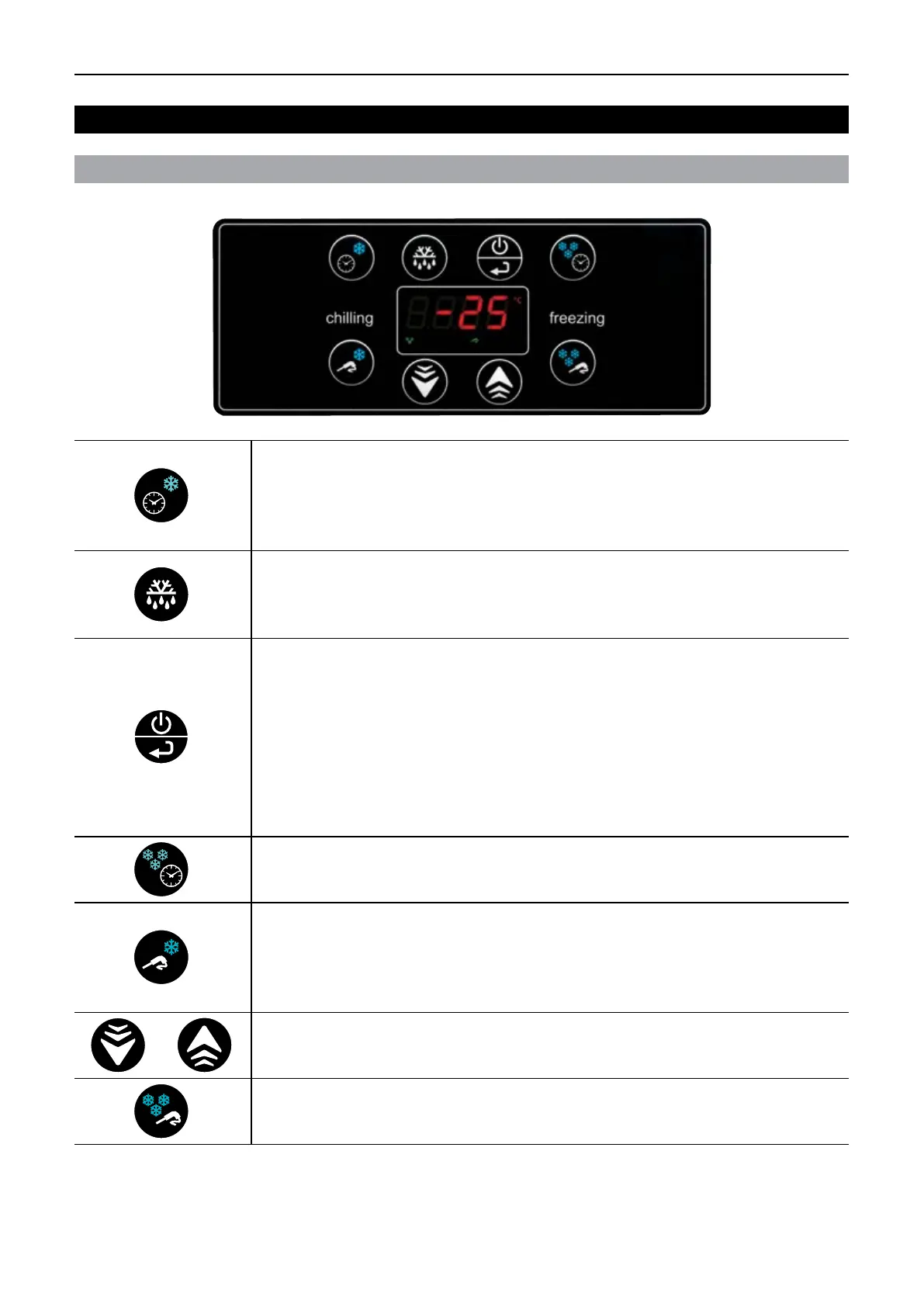
DESCRIPTION OF CONTROLS
UP AND DOWN KEYS
Use these keys to increase or decrease a value.
BLAST COOLING WITH CORE TEMPERATURE PROBE KEY
With the control in Standby mode:
• Press the key once to select a SOFT blast cooling cycle with core temperature probe.
• Press the key again to select a HARD blast cooling cycle with core temperature probe.
TIME-CONTROLLED BLAST FREEZING KEY
With the control in Standby mode:
• Press the key once to select a time-controlled blast freezing cycle.
STANDBY KEY
With the control in OFF mode:
• Press the key once to set the control to Standby.
With the control in Standby mode and the cycle selected:
• Press the key once to start the selected cycle.
With the control in cycle running mode:
• Press the key once to interrupt the cycle.
NOTE:
If this key is pressed for three seconds, the appliance will be switched to
Standby irrespective of present control mode.
DEFROST KEY
With the control in Standby mode:
• Press the key once to start a defrost cycle if the evaporator temperature is cold
enough.
TIME-CONTROLLED BLAST COOLING KEY
With the control in Standby mode:
• Press the key once to select a time-controlled SOFT blast cooling cycle.
• Press the key a second time to select a time-controlled HARD blast cooling cycle
BLAST FREEZING KEY WITH TEMPERATURE PROBE KEY
With the control in Standby mode:
• Press the key once to select blast freezing cycle with core temperature probe.


 To Next Page