Cellular Device Training Manual
8
Device Acvaon and Client Enrollment
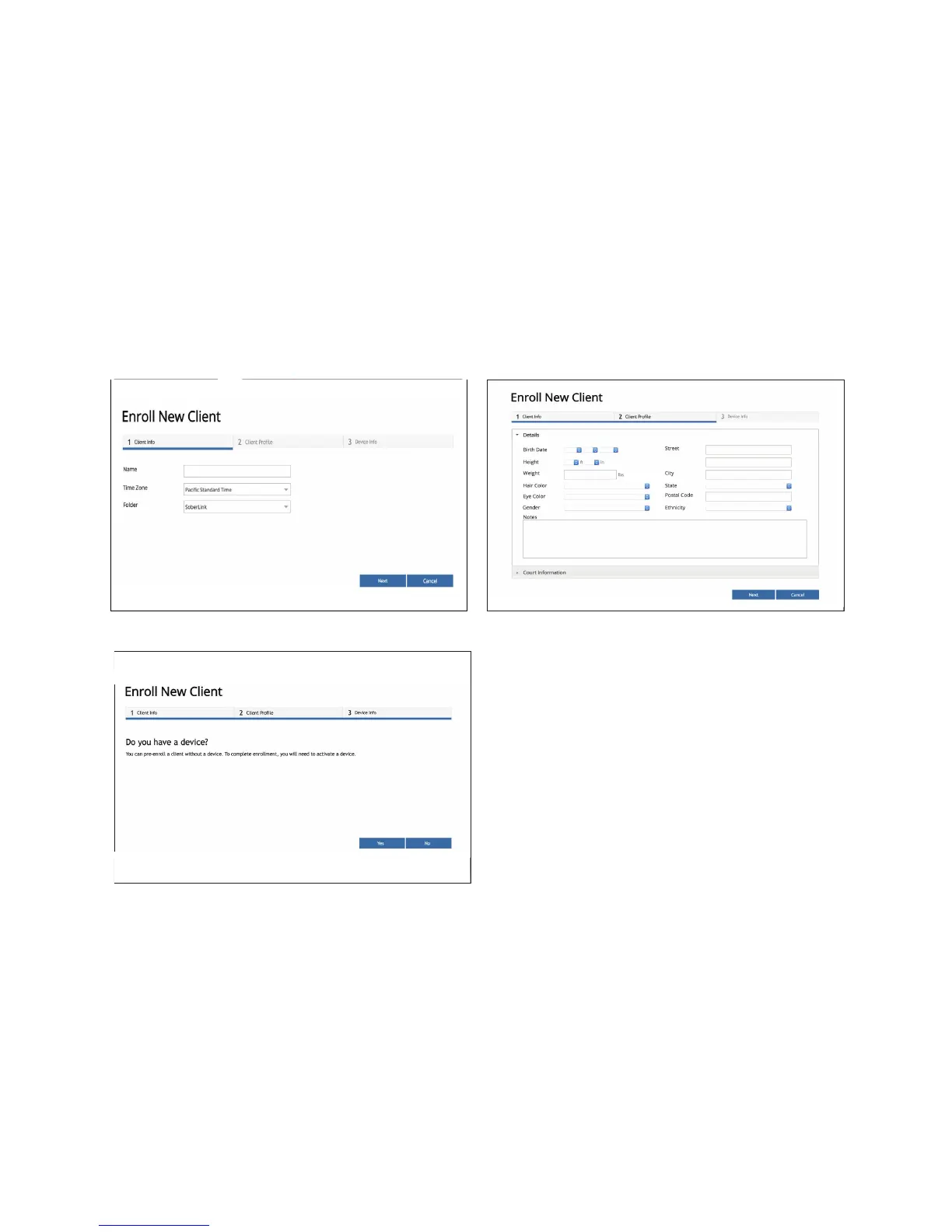
Enter the appropriate Client information in Steps 1 and 2 of the enrollment process.
If the User has a Soberlink Device for the Client, click
Yes in Step 3 to enter the Device ID, Security PIN, and
payment information.
If the User does not yet have a Soberlink Device for
the Client, click No in Step 3 to Pre-Enroll the Client.
The User can activate a Device for the Client at a
later time from the Home page of the Monitoring Web
Portal.
Step 2
Step 3
Step 1


 To Next Page