15
HARDWARE AND SOFTWARE INDICATORS
Status Indicator LED
LED LED Activity Meaning
1 blink per
second
Bluetooth radio is on, but not connected
Bluetooth
Status (blue)
1 blink per 5
seconds
Bluetooth radio is on, connection established
Good Read
(green)
Green
Data successfully scanned and transmitted to host
device
1 blink per
second
Less than 20% of battery life remaining
Solid red Batteries are charging
Battery Status
(red)
Off when
connected to
charger
Batteries are fully charged
Status Indicator Beeps
The scanner beeps to signal the Bluetooth connection status. You can also have the
scanner beep to indicate scanned data reaching the host device.
Beep Beep Activity Meaning
1 beep Connection to host device has begun
Bluetooth
Status (blue)
2 beeps Connection to host device has ended
Good Read
(green)
1 beep
Data successfully scanned and transmitted to host
device
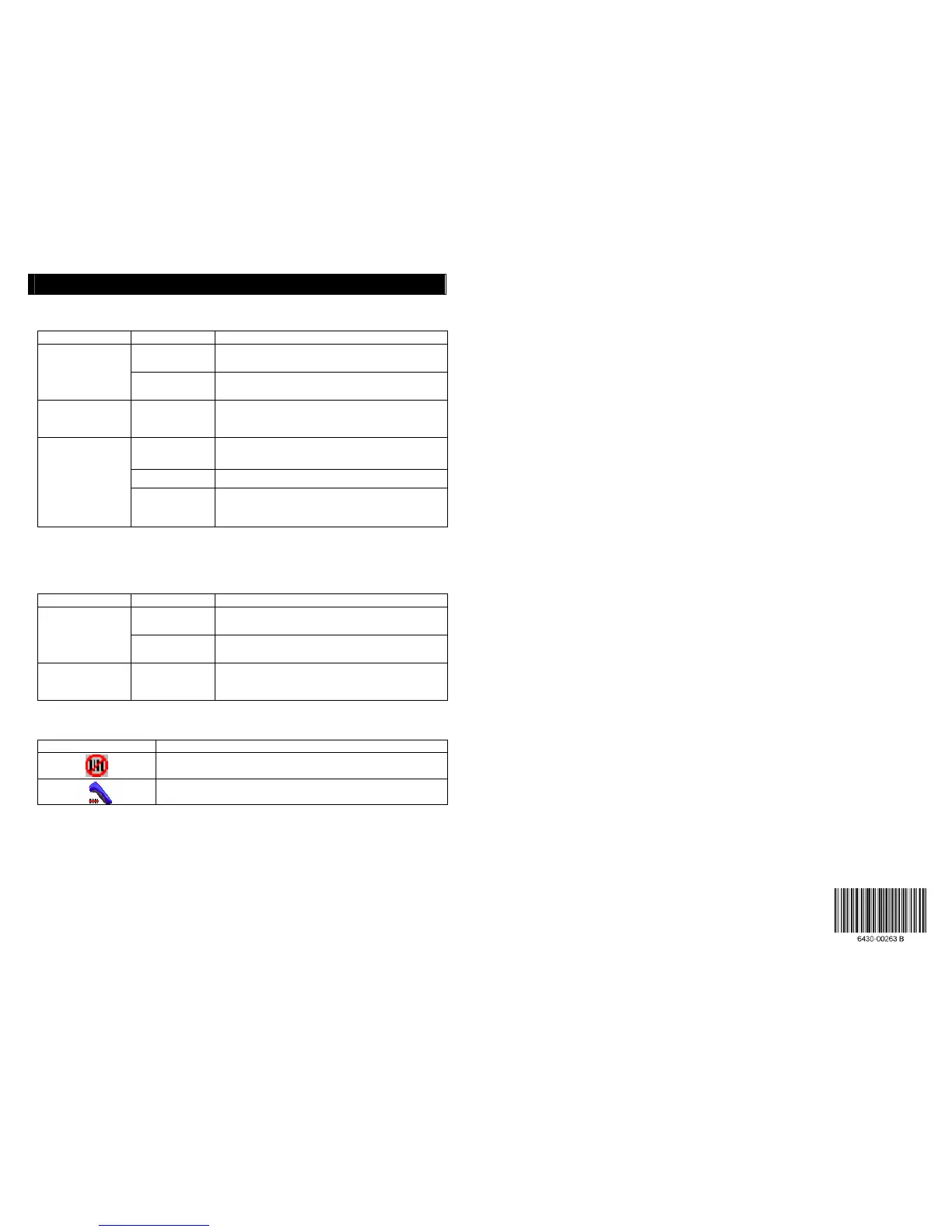
SocketScan Icon
Icon Meaning
The CHS is not connected to the host device
The CHS is connected to the host device
4/2007 Printed in U.S.A.
© 2007 Socket Communications, Inc. dba Socket Mobile, Inc. All rights reserved. Socket, the
Socket logo, SocketScan, Cordless Hand Scanner, and Connect!Agent are trademarks or
registered trademarks of Socket Communications, Inc. dba Socket Mobile, Inc. The Bluetooth
word mark and logo are registered trademarks of the Bluetooth SIG, Inc., USA and any use by
Socket Mobile is under license. Any other product names contained herein are trademarks of
their respective owners.















 To Previous Page