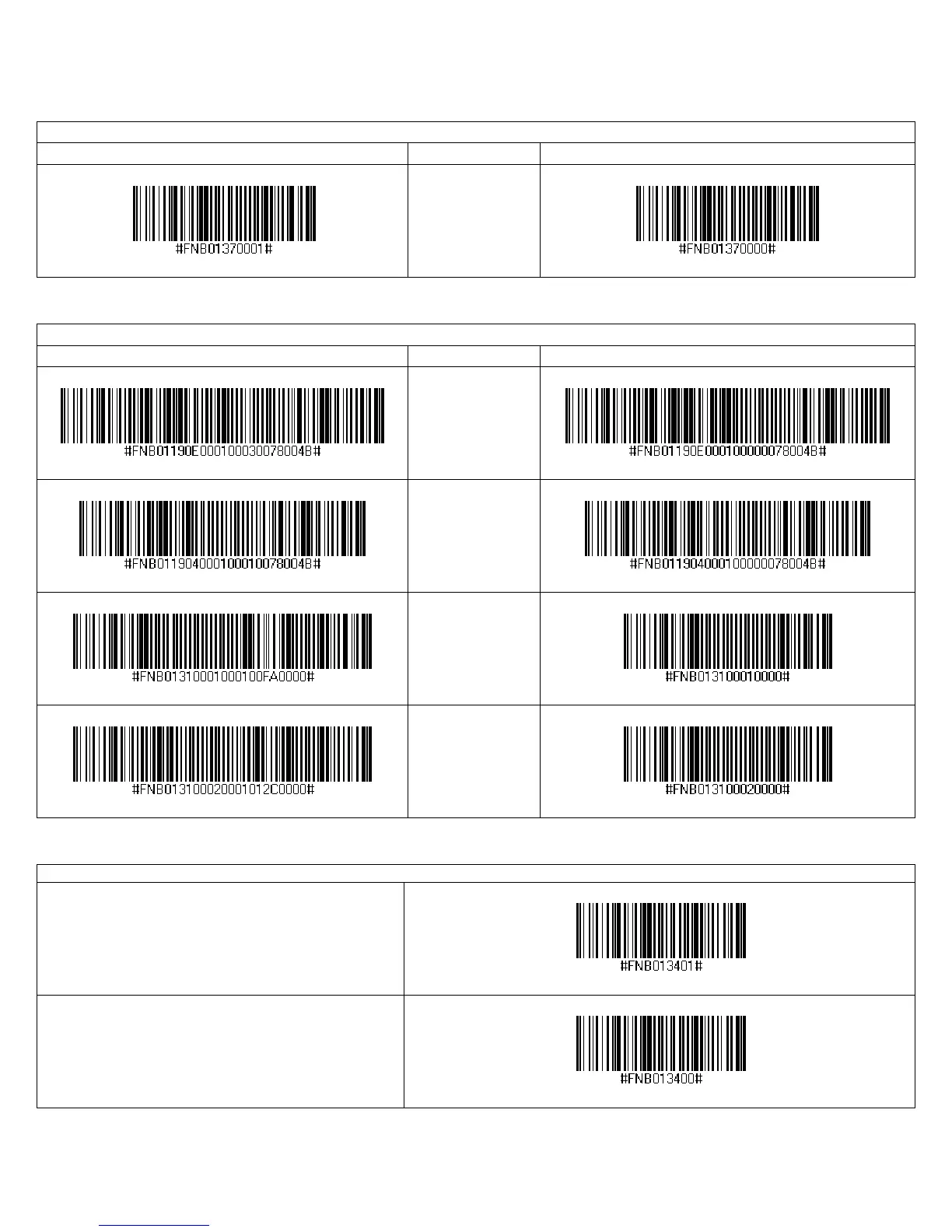
IMPORTANT! Print out the page to scan the barcodes. Do not scan them onscreen.
VIN Prefix Removal
Scan to Enable Description Scan to Disable
Return only the
last 17 characters
of a Code 39
barcode.
Good Scan Indicators
Scan to Enable Description Scan to Disable
Beep after
decoding data
(default)
Beep after
computer / device
acknowledges a
successful scan
(default)
7P and 7NRx only:
Vibrate after
Decoding Data
(default)
7P and 7NRx only:
Vibrate after
computer / device
acknowledges a
successful scan
(default)
Data Mode
Packet Mode (default)
Configures the CHS to transmit decoded data in
packet format.
Raw Mode
Configures the CHS to transmit decoded data in raw
(unpacketed) format.
APPENDIX E: COMMAND BARCODES 113















 To Next Page