2 | SCANNER SETUP
INSTALLING BATTERIES AND ATTACHING THE TETHER
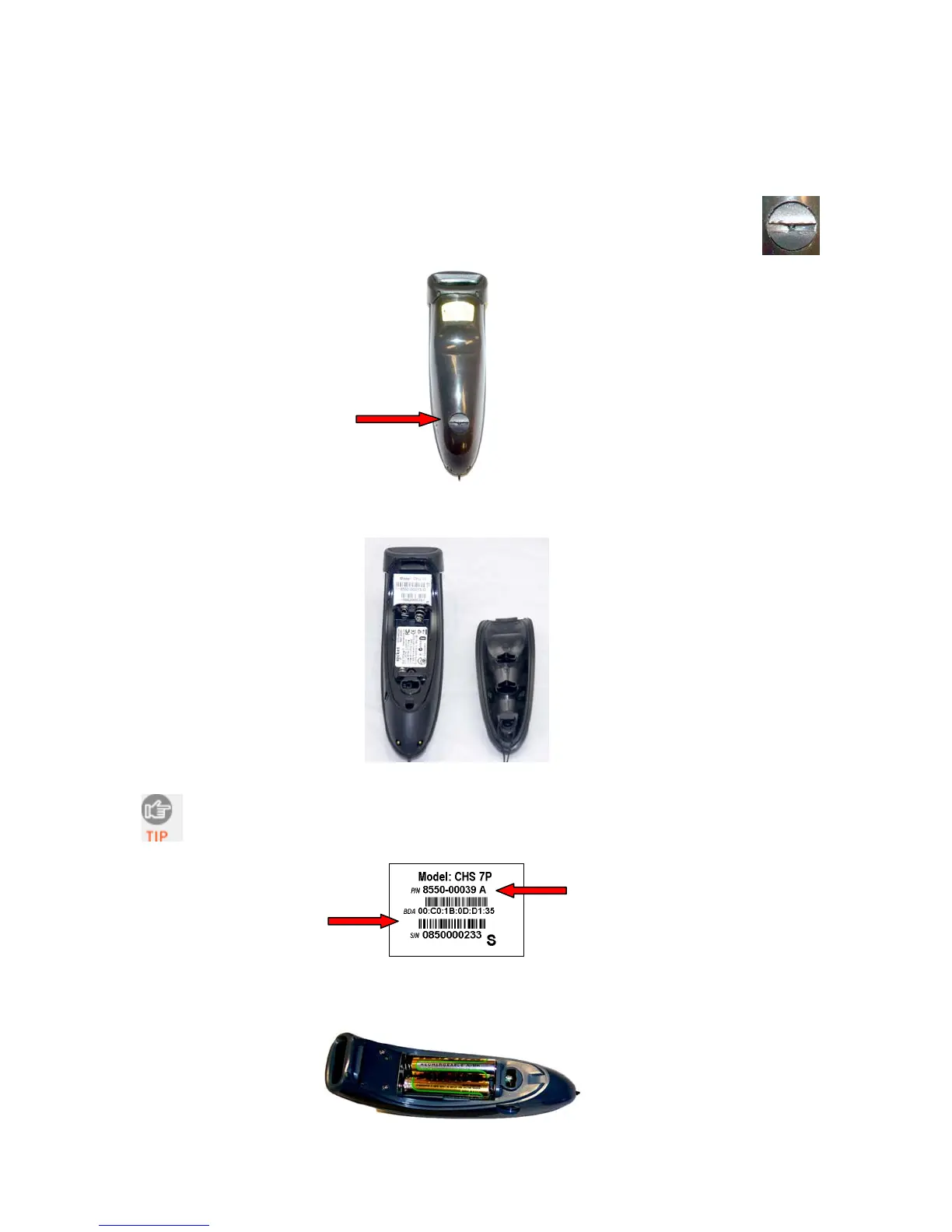
1. Use a coin or screwdriver to unlock and remove the battery cover. Turn the lock
underneath the scanner to a horizontal position to unlock.
2. Remove the battery cover.
The Bluetooth Device Address (BDA) is printed on a label inside the battery
compartment. It helps you distinguish your CHS from other CHS scanners. If you
install SocketScan 10, you can also check the BDA in Scanner Settings.
Revision Letter - follows Part Number (P/N)
Bluetooth Device Address
(BDA)
3. Install the batteries in their correct positions, as indicated by the +/- symbols.
CHAPTER 2: SCANNER SETUP 11















 To Next Page