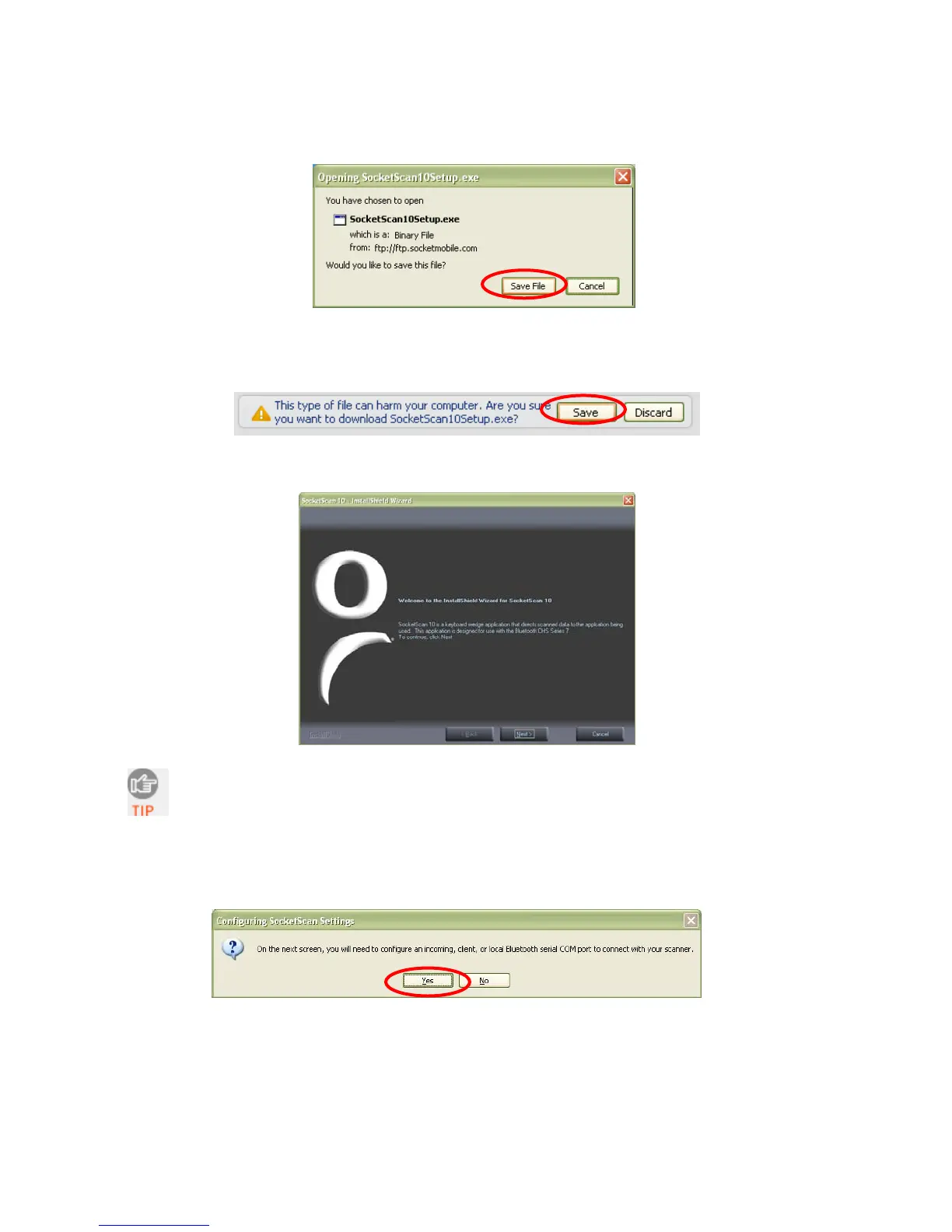
• For Firefox, click Save File. In the Downloads list, double-click on the
SocketScan10Setup.exe file. In the warning screen, click OK.
• For Chrome, click Save at the bottom of the screen. Click on the link for the
SocketScan10Setup.exe file. In the Security Warning screen, click Run.
3. The installation wizard will launch. Follow it to install software for Windows Desktop.
If a previous version of SocketScan 10 is already installed on your
computer, and you choose to uninstall it, make sure SocketScan 10 is not
running before you start the uninstall. When prompted, make sure you
restart your computer.
4. A message will state that on the next screen, you will need to configure an incoming
Bluetooth serial COM port to connect with the CHS. Click Yes.
20















 To Next Page