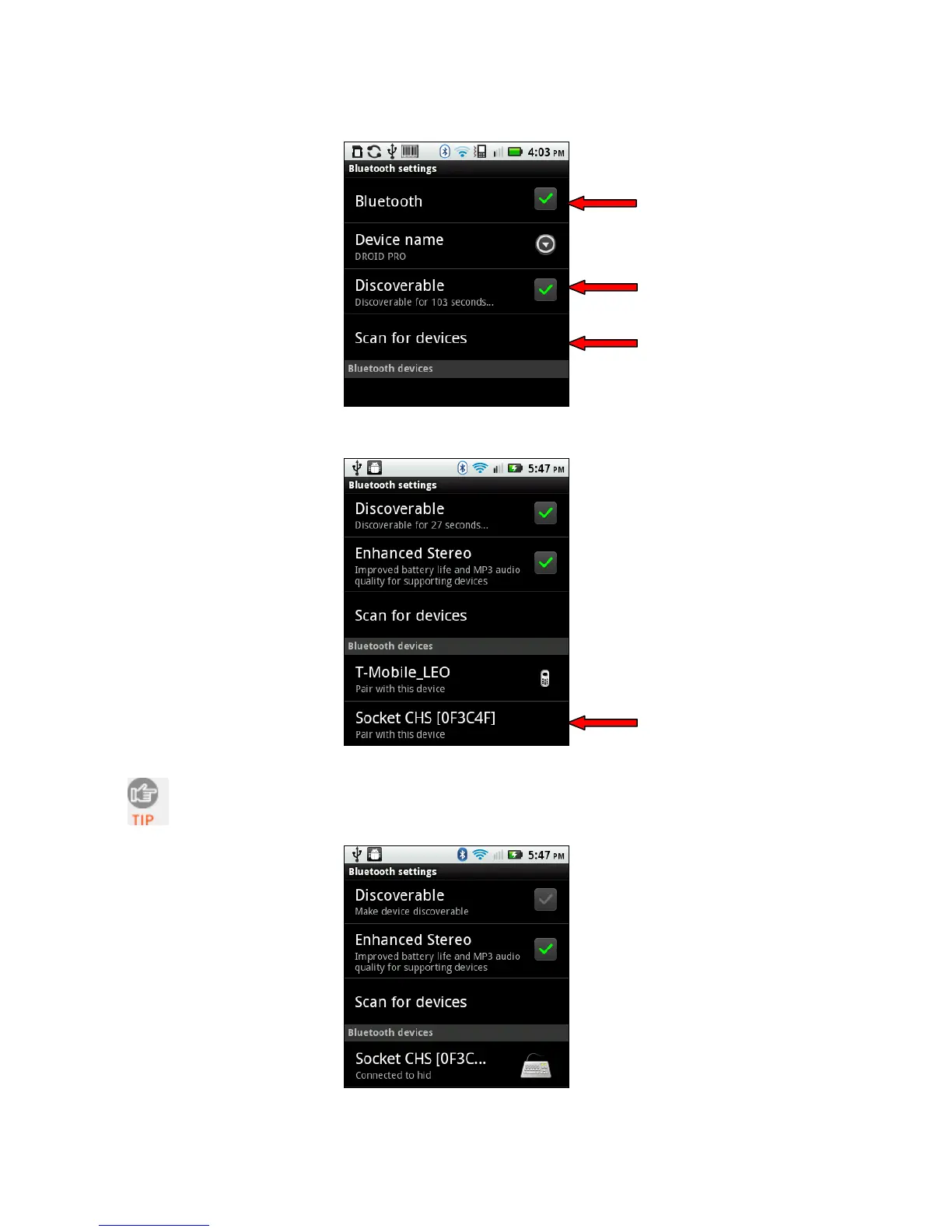
4. Make sure your device has Bluetooth on and is Discoverable. Touch Scan for devices.
5. In the list of found devices, select Socket CHS.
The CHS will beep once when it has connected and is ready to scan barcodes.
The LED will also blink blue once every 3 seconds, and a Keyboard icon will
appear next to the CHS listing.
CHAPTER 6: SETUP FOR ANDROID 61















 To Next Page