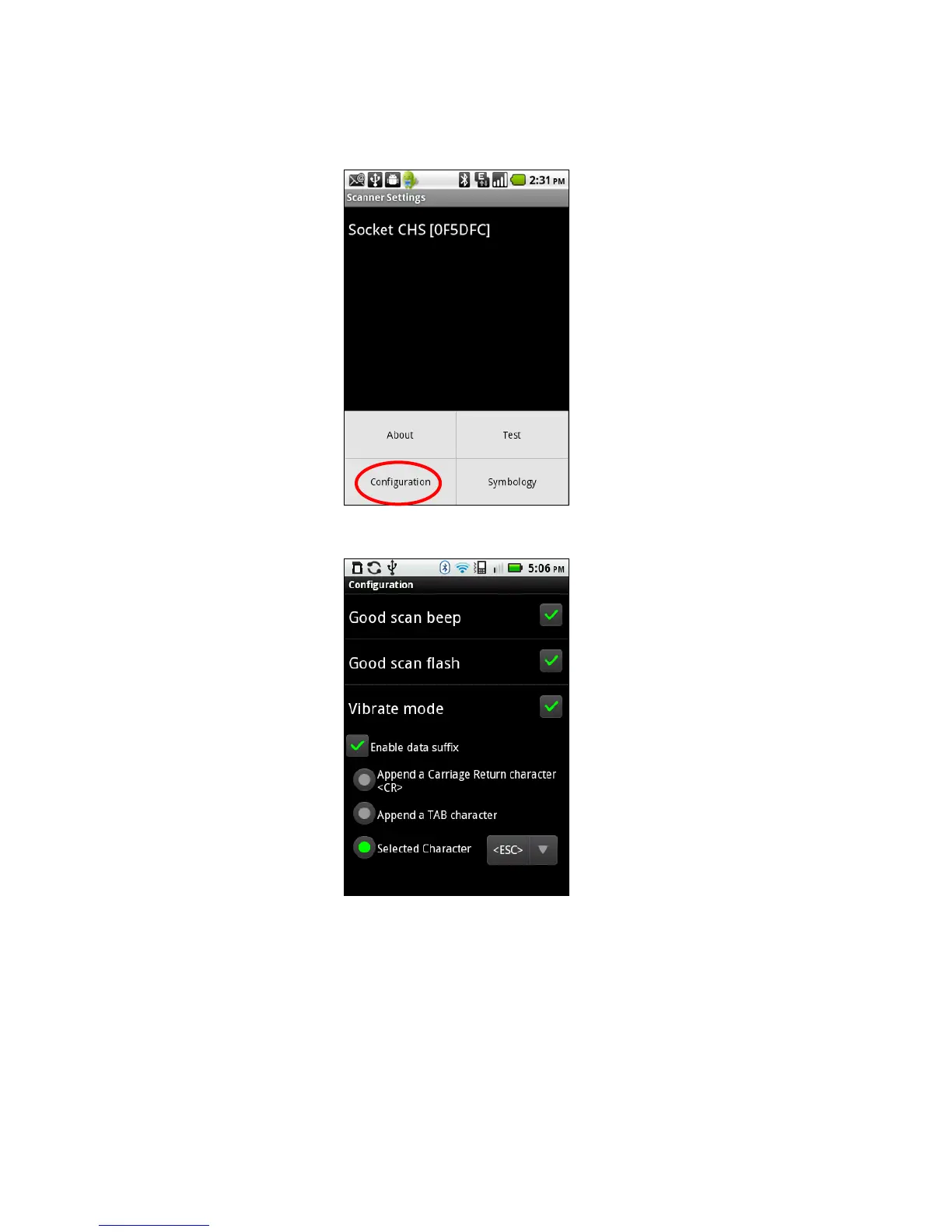
Configuration
1. In the main screen of Scanner Settings, touch Menu | Configuration.
2. In the Configuration screen, enter any settings, as desired:
• Good scan beep: Select to have the CHS beep to indicate that data was successfully
decoded and transmitted to the Android device.
• Good scan flash: Select to have the CHS LED turn green to indicate that data was
successfully decoded and transmitted to the Android device.
• Vibrate mode: Select to have the CHS 7P or 7NRx vibrate to indicate that data was
successfully decoded and transmitted to the Android device.
• Scanned data suffix: Select if you would like to automatically add a carriage return,
tab or select another character or function after each scan of data.
CHAPTER 6: SETUP FOR ANDROID 71















 To Next Page