General Scanner Info
You can view Scanner info only when the CHS is connected to your
smartphone.
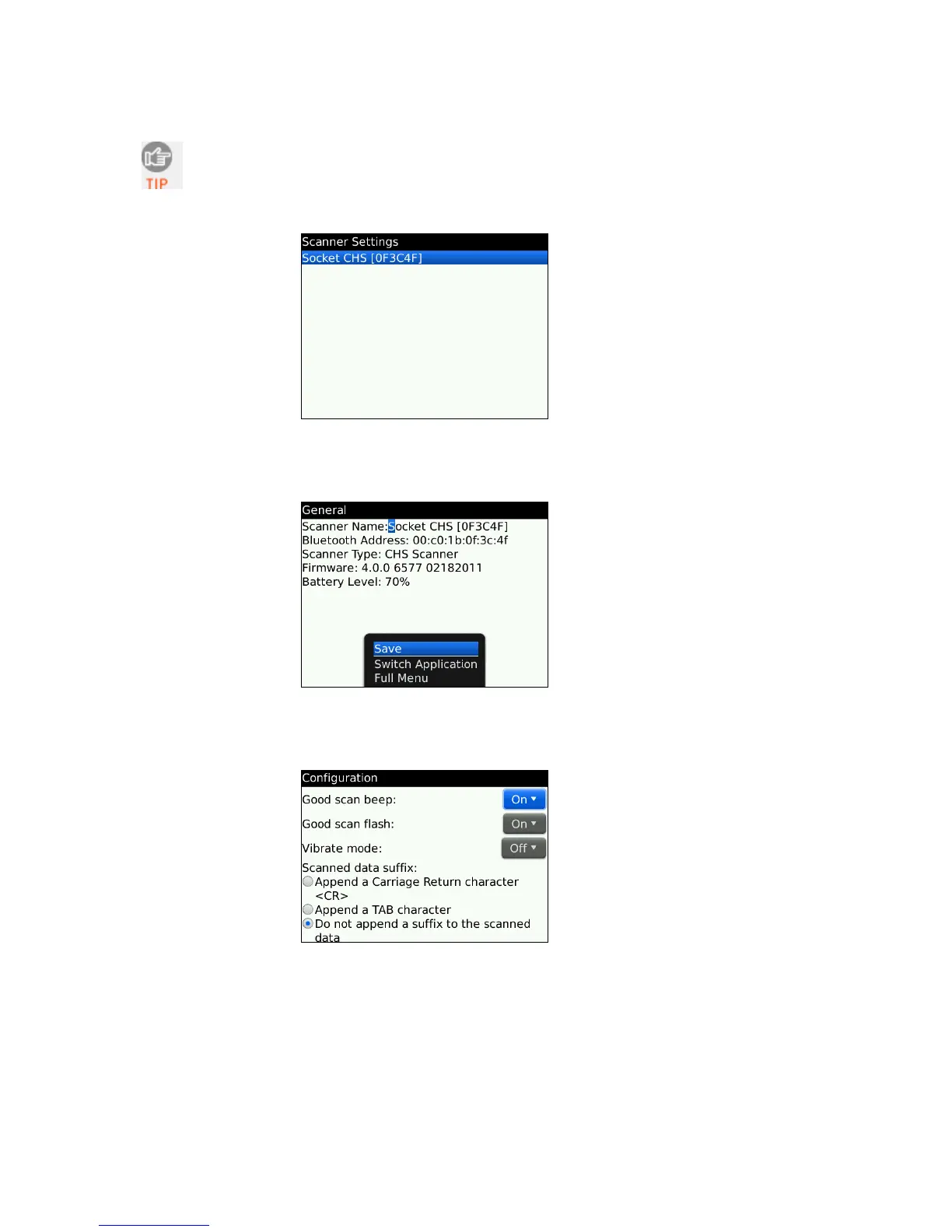
1. In SocketScan Settings, you can access Scanner Info by clicking on the main screen.
2. Besides viewing general scanner properties, you can also place the cursor in the
Scanner Name field to change the Bluetooth friendly name of your CHS. After
making any changes, click Menu | Save.
Scanner Settings - Configuration
1. In Scanner Settings, click Menu | Configuration. Enter any settings, as desired:
• Good scan beep: Select to have the CHS beep to indicate that data was successfully
decoded and transmitted to the smartphone.
• Good scan flash: Select to have the CHS LED turn green to indicate that data was
successfully decoded and transmitted to the smartphone.
• Vibrate mode: Select to have the CHS 7P or 7NRx vibrate to indicate that data was
successfully decoded and transmitted to the smartphone.
• Scanned data suffix: Select if you would like to add a carriage return or tab after
each scan of data.
2. After entering any settings, click Menu | Save.
82















 To Next Page