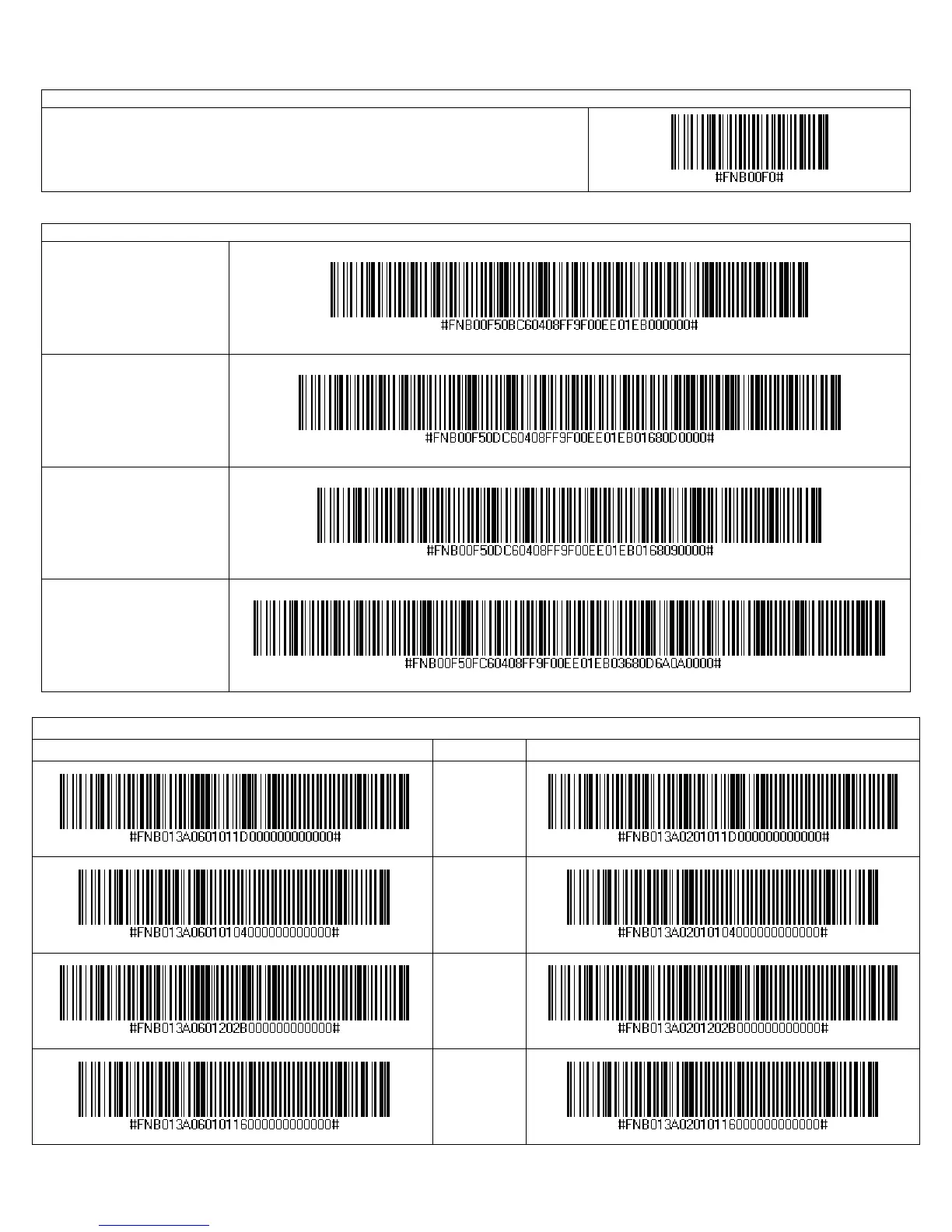
Factory Defaults
Factory Reset
Configures the CHS to revert all settings to factory defaults. The CHS will power
off after scanning this barcode.
Data Editing – Prefix / Suffix
Data As Is (default)
Configures the CHS to
return only the decoded
data (i.e., prefix and
suffix are not sent).
Suffix – Carriage
Return
Configures the CHS to
add a carriage return at
the end of decoded data.
Suffix – Tab
Configures the CHS to
add a tab at the end of
decoded data.
Suffix – Carriage
Return & Line Feed
Configures the CHS to
add a tab and carriage
return at the end of
decoded data.
Data Editing – Ctrl and Shift Commands
Scan to Enable WITH BEEP Description Scan to Enable WITHOUT BEEP
CTRL + Z
CTRL + A
SHIFT + TAB
CTRL + S
APPENDIX E: COMMAND BARCODES 93















 To Next Page