APPENDIX E: COMMAND BARCODES 107
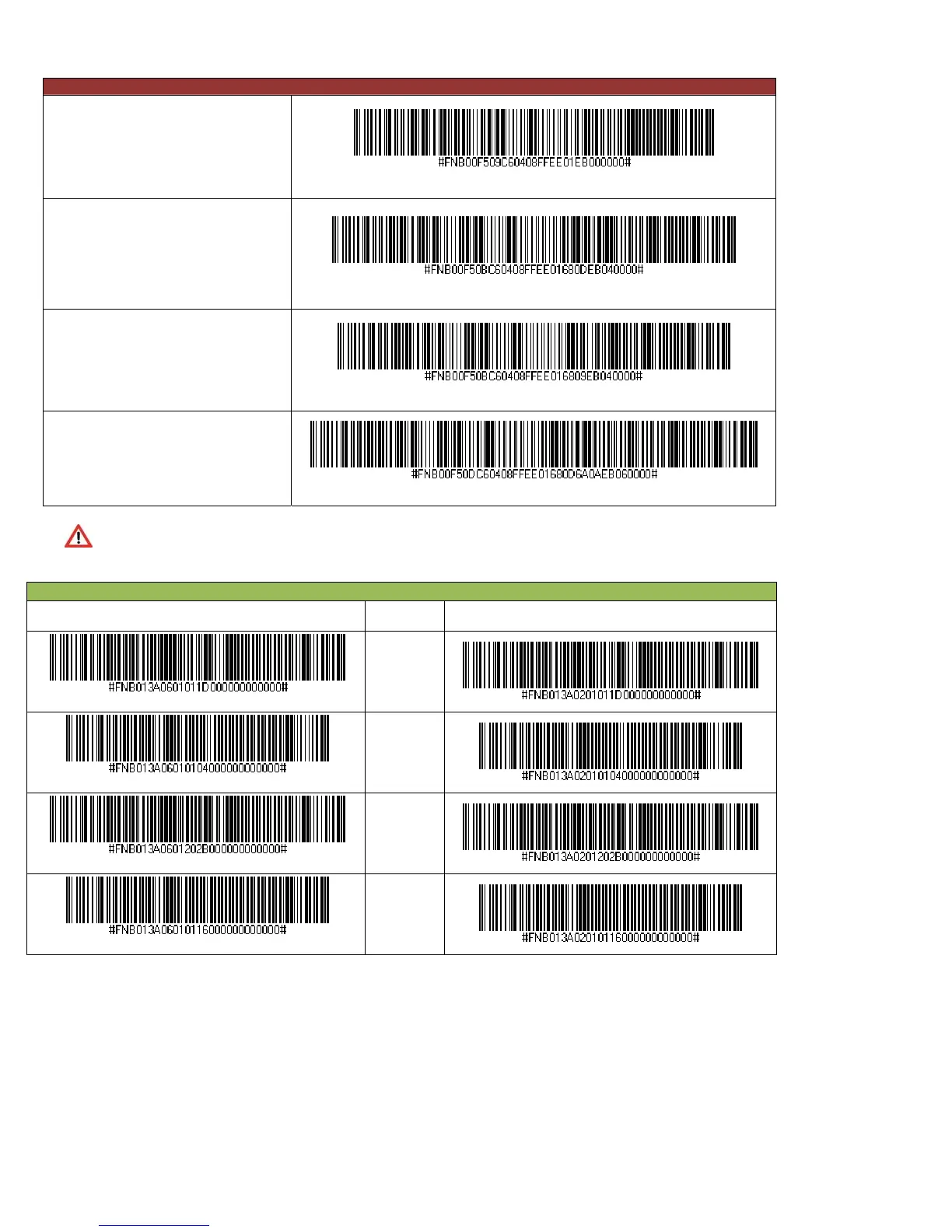
Data Suffix — For SPP or iOS Mode
Data As Is (Default)
Configures the CHS to return only the
decoded data (i.e., no prefix or suffix).
Suffix – Carriage Return
Configures the CHS to add a carriage
return after decoded data.
Suffix – Tab
Configures the CHS to add a tab after
decoded data
Suffix – Carriage Return & Line Feed
Configures the CHS to add a carriage
return and line feed after decoded data.
The Data Suffix – For SPP or iOS Mode command barcodes above only work with Revision B
or later of the CHS 7Ci! They work with all Revisions of the CHS 7Di and 7DiRx.
Power Button Double Press Key Combination — For HID Mode Only
Scan to Enable WITH BEEP Description Scan to Enable WITHOUT BEEP
CTRL + Z
CTRL + A
SHIFT + TAB
CTRL + S















 To Next Page