88
USING THE CHS IN SPP MODE (BLACKBERRY OS)
To install the software:
You can install SocketScan 10 software either by downloading directly to the
smartphone or synchronizing to a host PC with BlackBerry Desktop Manager.
Downloading to the Smartphone
1. Make sure your smartphone is connected to the Internet.
2. Open the Browser to: http://www.socketmobile.com/blackberry
3. The SocketScan for BlackBerry installation screen will appear. Read the information in
the screen. If you accept the license agreement, click I Accept.
4. The download screen will appear. Click Download. The smartphone will download
and install SocketScan.
5. After installation, a dialog will confirm successful installation. Click OK.
Synchronizing with a Desktop PC
Refer to your BlackBerry Desktop Manager manual for complete instructions.
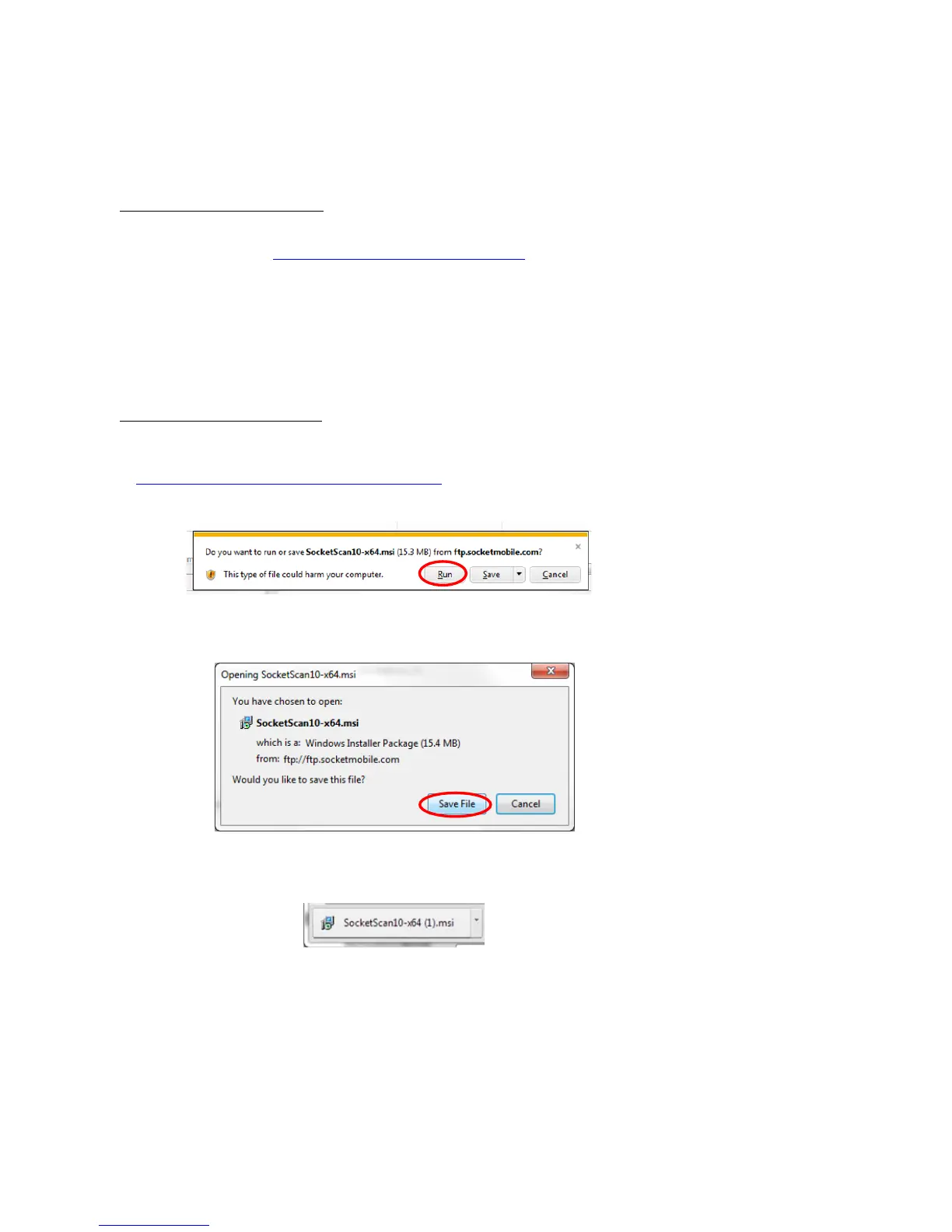
1. Download and run the installation file from
http://www.socketmobile.com/support/downloads
Internet Explorer: in the Security Warning screens, click Run. In the next screen, click Run.
Firefox: Click Save File. In the Downloads list, double-click on the SocketScan10-x…msi file.
In the warning screen, click Run.
Chrome: Click on the button for the SocketScan10-x…msi file at the bottom of
Chrome. In the Security Warning screen, click Run.















 To Next Page