6 | SETUP FOR WINDOWS MOBILE 75
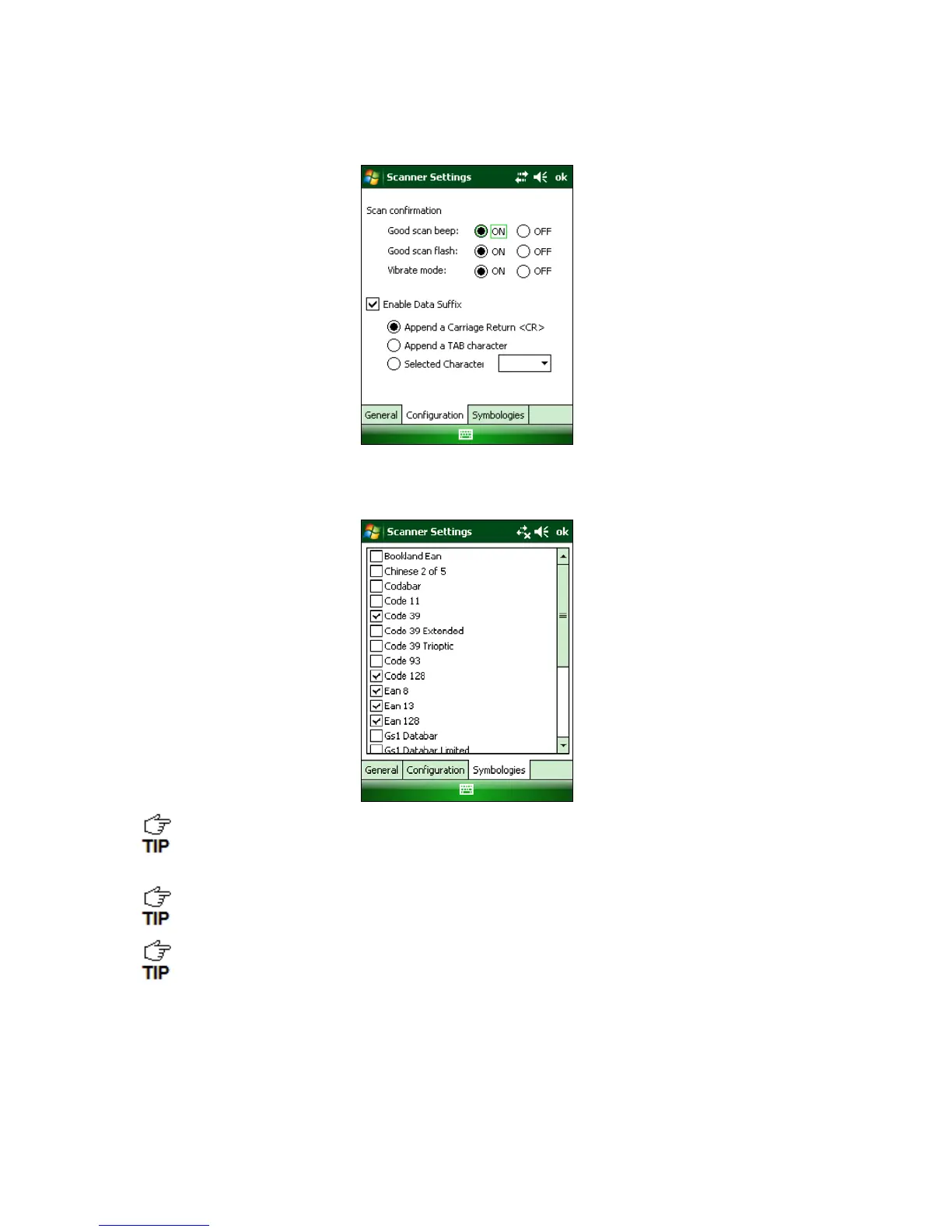
5. Tap on the Configuration tab. If desired, modify how the CHS confirms a good scan
and/or select a data suffix to automatically add to each instance of scanned data.
6. Tap on the Symbologies tab to modify which symbologies the CHS will be able to
decode.
Enabling all possible symbologies may slow the decoding process.
The RSS symbology is now known as GS1 DataBar.
If you want to read UPC-A symbols, disable the GS1 DataBar option so that GS1 DataBar
symbols don’t get mistakenly decoded.
7. Tap ok to exit the Scanner Settings.















 To Next Page