Applcton Mode (SPP) for Wndows or Androd 80 nd lter
(Auto Connect - No confurton requred for Applcton prn)
1 Power on the scnner Me sure the scnner s dscoverble
(unpred) The Blue lht should be blnn fst
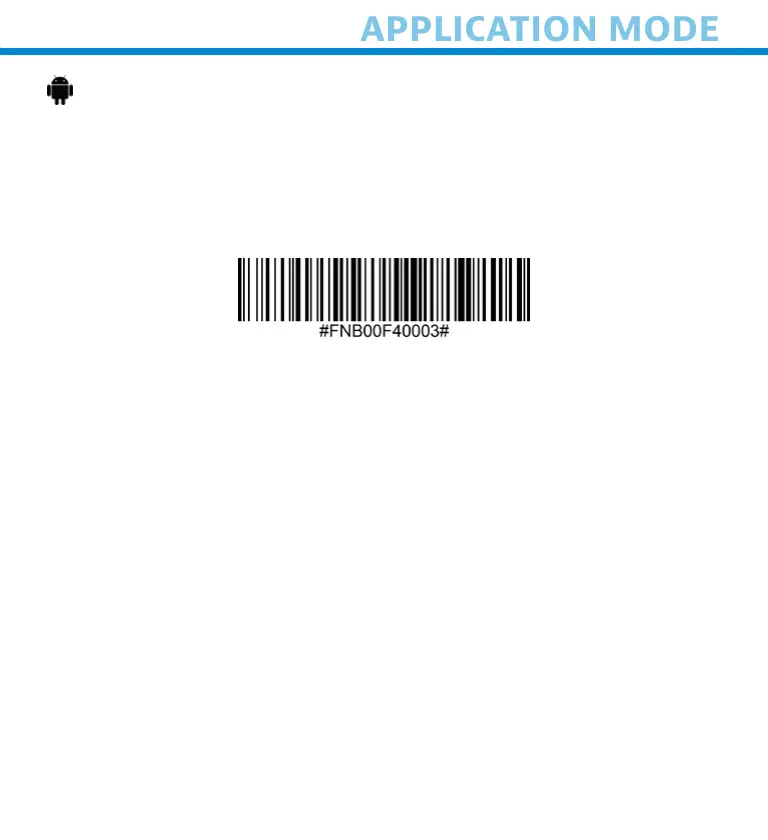
2 Scn the brcode to chne the profle to Applcton Mode (SPP)
3 Turn on Bluetooth on the Androd devce Go to Settns >
Bluetooth
A Bluetooth Devces serch wll ben
4 Tp Socet S740[xxxxxx] n the lst of other devces found After
few seconds the sttus wll chne to “Connected” nd the LED
wll stop blnn nd turn sold blue
Note: The characters in brackets are the last 6 characters of the
Bluetooth Address.
5 Lunch our scnner-enbled Applcton The scnner wll beep
once ndctn tht t s connected to the pproprte pplcton
Now you are ready to scan barcodes!
17















 To Next Page