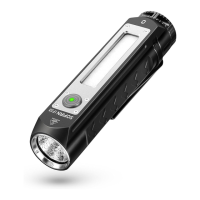
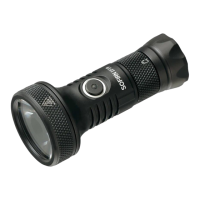
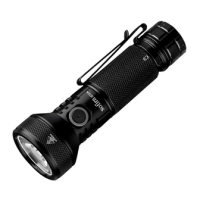
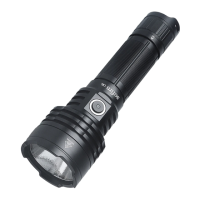
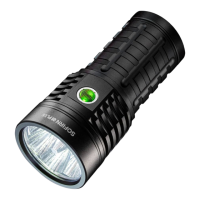
Flashing Red = Charging
Green = Fully Charged
Light Indicator When Discharge
LED Indicator stays off when the remaining battery power is sufficient, and it flashes
red when the power is low.
Operation Instructions
ON/OFF: Single-click the button to turn the light on/off and enter the last used mode. When trun it
on, the battery level indicator will display for 5 seconds.
CHANGE BRIGHTNESS LEVEL:
When the flashlight is on, rotate clockwise to ramp up,
and the light flashes once when the brightness reaches its maximum. Rotate counterclockwise to ramp
down. Long press the switch to cycle through: Floodlight (30lm-12000lm)→Spotlight
(10lm-2500lm)→Spotlight & Floodlight (40lm-12000lm).
DIRECT ACCESS TO LOW MODE:
When the flashlight is off, long press the switch to
activate Low mode.
DIRECT ACCESS TO STROBE MODE: Under any mode settings (not in lock mode),
triple-click the switch to activate Strobe mode. Long press the button to cycle through: Floodlight
(12000lm)
→
Spotlight (2500lm)
→
Spotlight & Floodlight (12000lm). Single click the switch to return
to the brightness level before the triple-click operation.
DIRECT ACCESS TO LOW & TURBO MODE: Under any modes (not in lock mode),
double-click the switch to activate Turbo mode. Double-click again to turn on Low mode. Then a single
click to return to the brightness level before the double-click operation.
LOCK/UNLOCK: The flashlight locks automatically 15 seconds after being turned off (no any
operation). Quickly rotate clockwise or counterclockwise for 60 degrees to unlock the flashlight. And
the indicator will blink for 5 seconds to display the power status.
( Note: Have to rotate more than 60° quickly at a time.The button indicator will light on when unlocked
successfully. )
Safety Instructions
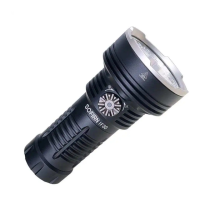
IF30 is a powerful flashlight. Never point it directly at a person, animal or moving
vehicles. Doing so could cause retinal damage. Please do not allow children to
play with it. Strobe mode may cause seizure in persons with photosensitive
epilepsy.


 To Next Page