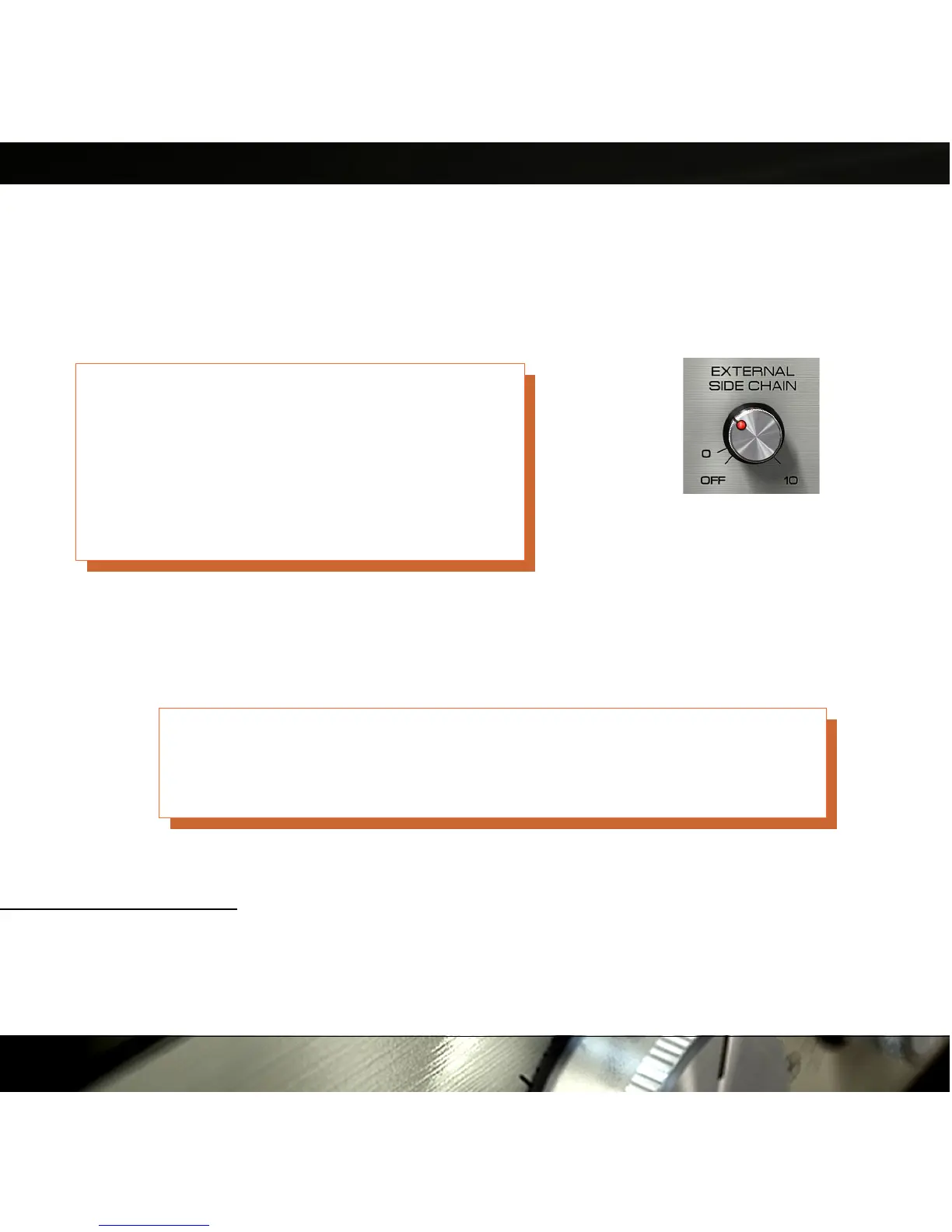
External Side Chain
In some plug-in formats, such as RTAS, TDM and AU, it is possible to use an external
signal as input to the detector.
1
This is very common if you for instance want to compress a
bass line using the bass drum as the trigger to the compressor. In that case, the bass line
will be compressed when ever the bass drum is hit.
Even if an external side chain signal is present, you
will have to activate the external side chain by
increasing the External Side Chain knob until the
LED lights up. If the External Side Chain knob is
in its O F F position, the detector will always use the
regular input.
Use the External Side Chain knob to set the input volume of the external signal (for
instance the bass drum track). A higher input volume will lead to more gain reduction, just
like the Input knob works without an external side chain.
Monitor the Gain Reduction VU Meter when you set the level of the external
side chain. Just increase the External Side Chain until you get enough gain
reduction.
1) External side chaining might also work in some VST hosts. It depends very much on which VST
host and version you are using. The plug-in will add two extra inputs (inputs 3 and 4) and regards these as
the external side chain input. If your host accepts these four inputs, the external side chain indicator
(Figure 15) will light up.
15
Figure 10: The
side chain knob.


 To Next Page