10
AUTO MODE
1. Tap SPEED repeatedly to select AUTO Mode�
2. When
Mode is enabled, the fan speed is adjusted intelligently according
to the air quality�
SLEEP MODE
In SLEEP MODE, the purier operates at a lower speed and quietly� The lighting is
switched o for quiet sleep�
PM2.5 PARTICLE INDICATOR
The digital number on the control panel indicates the concentration level in µg/m3 of
PM2�5 particles detected by AutoSenseAI technology� The air quality is also visually
displayed by indicator lighting�
Light Colour BLUE GREEN ORANGE RED
Air Quality Excellent Good Moderate Poor
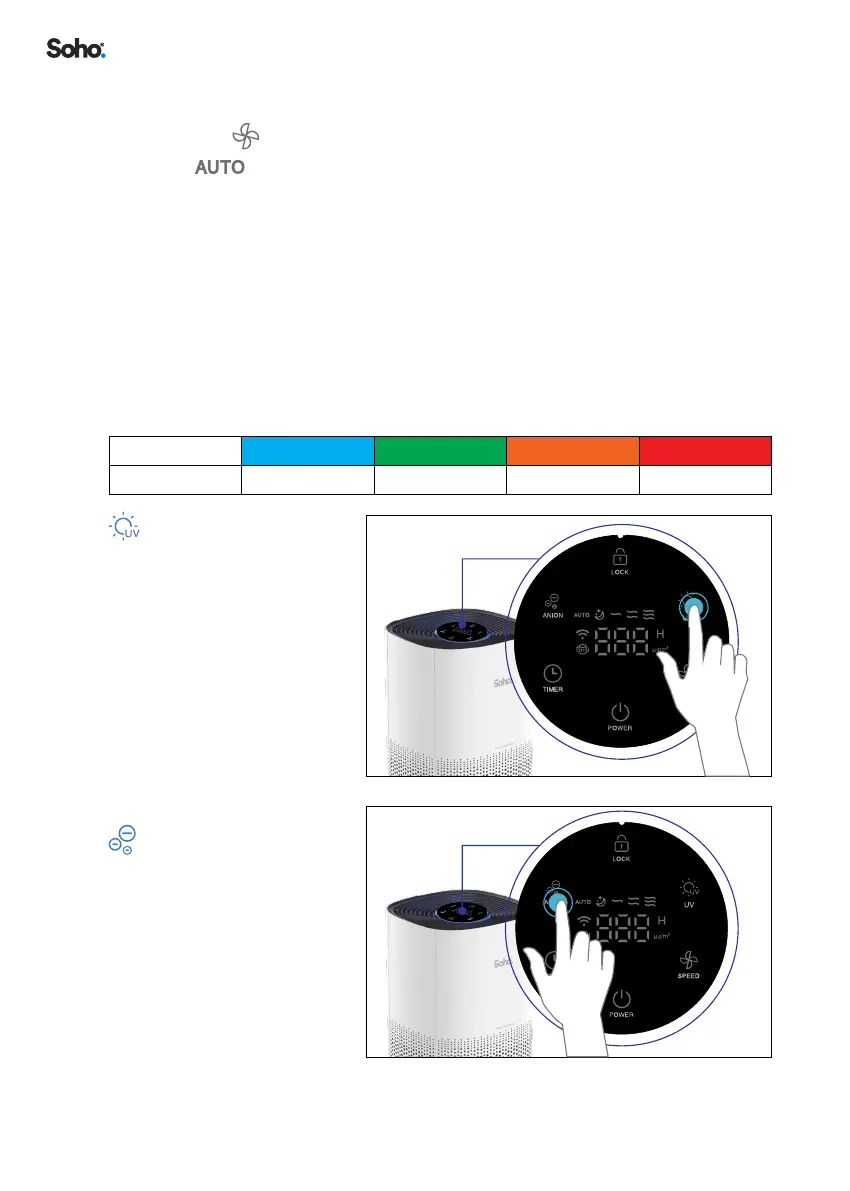
UV ON/OFF
Turns the UV ON/OFF�
ANION
Turns the ANION ON/OFF�
WIFI


 To Next Page