EasyManua.ls Logo

Soho SO-255WUI - User Manual

Soho SO-255WUI
28 pages
Print Icon
To Next Page IconTo Next Page
Loading...
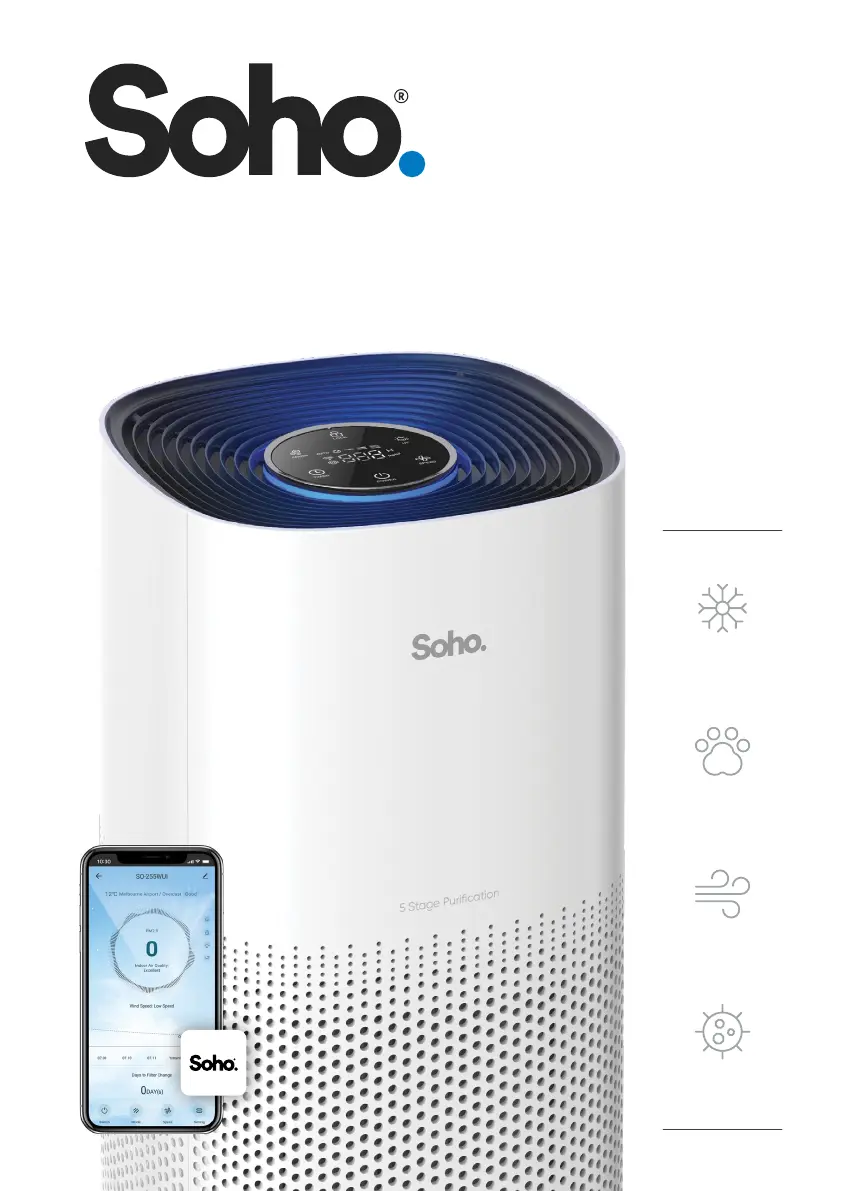
Allergens
Helps Protect
From:
Pet Dander
Smoke &
Odours
User Manual
SO-255WUI
Bacteria
Smart Air Purier
with WiFi and AutoSenseAI

Questions and Answers

Summary

IMPORTANT SAFETY AND OPERATION INSTRUCTIONS

Before You Start

Crucial safety precautions and initial setup advice before using the appliance.

SPECIFICATIONS

GETTING TO KNOW YOUR SO-255 WUI AIR PURIFIER

Unit Components

Overview of the control panel, air quality indicator, and physical parts.

FEATURES OF YOUR SO-255 WUI AIR PURIFIER

5-Stage Purification System

Details the purification process including Pre-Filter, HEPA, Carbon, Anion, and UV.

AIR PURIFIER MODES AND INDICATORS

Operating Modes

Explains Auto Mode and Sleep Mode functions.

Filter Management

Details the filter change indicator and reset procedure.

User Convenience Features

Explains Auto Off Timer, Child Lock, and Memory Function.

INITIAL SETUP AND OPTIMAL USAGE

Installing the Filter and Power

Step-by-step guide for filter installation and power connection.

Maximizing Performance

Tips for placement, initial run, and ventilation for best results.

CONTROL & FUNCTIONS

Core Controls

Explains Power, Mode, Fan Speed, and Timer functions.

Advanced Functions

Details Child Lock, UV, Anion, Filter Reset, and WiFi.

OPERATING YOUR SO-255 WUI AIR PURIFIER

Power On;Off

Instructions for turning the air purifier on and off.

Fan Speed Adjustment

How to change the fan speed settings on the unit.

OPERATING MODES AND INDICATORS

Air Quality Indicators

Explains Auto Mode, Sleep Mode, and PM2.5 indicators.

Function Controls

Details UV and Anion function controls.

FUNCTIONAL CONTROLS

Child Lock Operation

How to activate and deactivate the screen lock function.

Filter Reset Procedure

Steps to reset the filter indicator after replacement.

Auto Off Timer Setting

Guide to setting the automatic shut-off timer.

WIFI CONNECTIVITY

Indicator and Pairing Mode

Explains Wi-Fi indicator lights and device pairing.

SOHO LIFE APP SETUP

Prerequisites for App Setup

Lists network and app requirements for connecting the purifier.

Downloading the App

Steps to download the Soho Life mobile application.

APP ACCOUNT REGISTRATION

Sign Up and Verification

Process for creating an account, including email verification.

Permissions Management

Explanation of data analysis and personalization permissions.

PERSONAL INFORMATION SETTINGS

Editing Profile Details

How to update profile photo, nickname, and time zone in the app.

HOME MANAGEMENT CONFIGURATION

Setting Up Home and Rooms

Steps to configure home name, location, and rooms.

ADDING PURIFIER TO THE APP

Initial Pairing Procedure

Guide to connecting the purifier to the smartphone via WiFi.

WiFi Network Requirements

Details the need for a 2.4GHz WiFi network for pairing.

EZ MODE PAIRING

EZ Mode Instructions

Step-by-step guide for pairing using the default EZ mode.

AP MODE PAIRING

AP Mode Instructions

Step-by-step guide for pairing using the AP mode.

DEVICE CONNECTION AND INITIALIZATION

Connecting to Purifier Hotspot

Connecting the phone to the purifier's WiFi hotspot.

Scanning and Initialization

App scans, registers, and initializes the air purifier.

FINALIZING DEVICE SETUP

Completing Addition and Control Access

Confirming device addition and accessing the control page.

Pairing Troubleshooting

Advice for when the device is not found or pairing fails.

OPERATION AND SETTING OPTIONS

Basic Operation Controls

Using Switch, Mode, and Speed functions via the app.

Advanced App Settings

Controlling Anion, Child Lock, Light, UV, and Off Timer via app.

AUTOMATION FEATURES

Creating Automation Routines

Setting up automated tasks based on weather, schedule, or other devices.

Additional App Functions

Locating other app features like FAQ & Feedback.

CLEANING AND MAINTENANCE

Safety Precautions

Always turn off and unplug the unit before cleaning.

Cleaning Procedures

Steps for cleaning the unit, filter, and storage.

TROUBLESHOOTING GUIDE

Filter Indicator Issues

Resolving problems with the filter indicator light.

Airflow and Air Quality Problems

Addressing issues like no air outlet or poor air quality improvement.

Noise and Odour Issues

Solutions for loud sounds, dirt in air, or lingering smells.

WARRANTY AND LEGAL INFORMATION

Warranty Terms and Conditions

Details of the product warranty, exclusions, and claim process.

Indemnity and Disclaimer

Legal clauses regarding indemnity and warranty disclaimers.

LIMITATIONS AND LIABILITY

Liability Exclusions

Preclusions and limitations on Soho's liability for damages.

Soho SO-255WUI Specifications

General IconGeneral
BrandSoho
ModelSO-255WUI
CategoryAir Cleaner
LanguageEnglish

Related product manuals