19
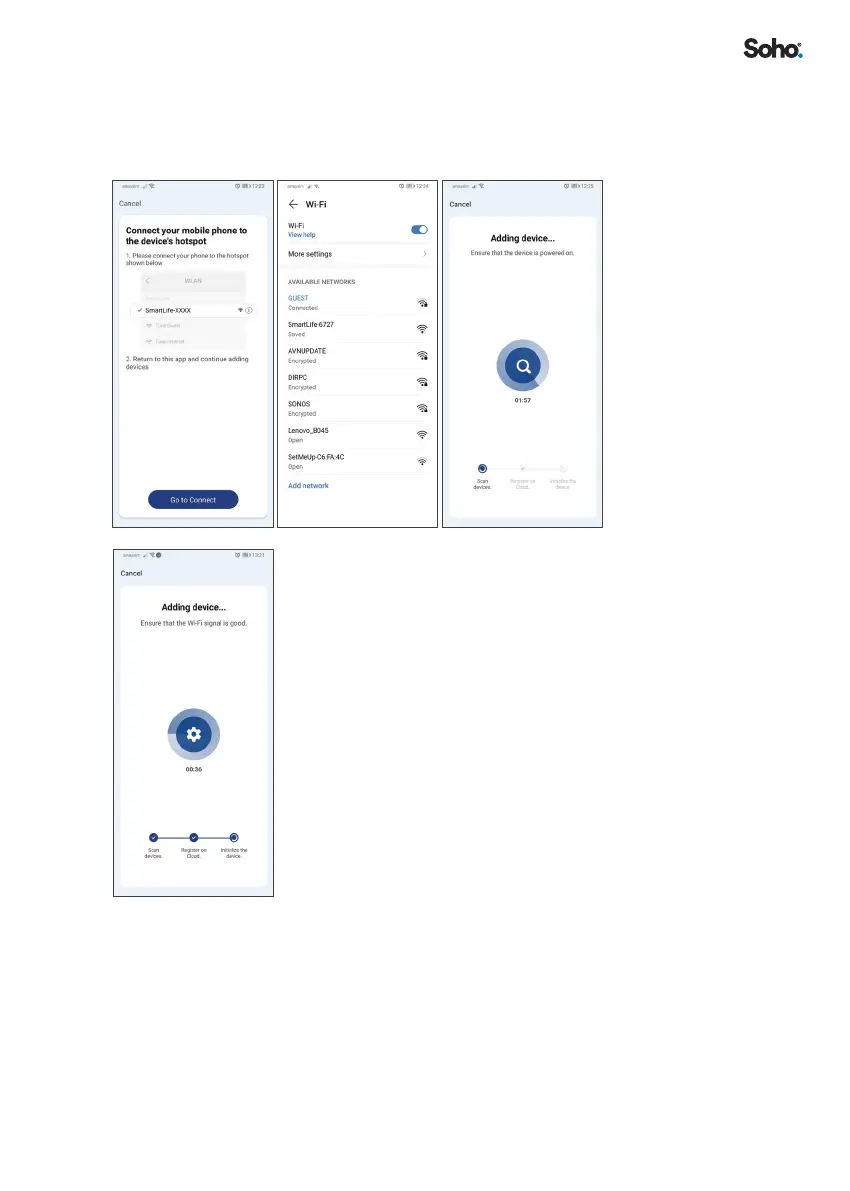
vi. You will be prompted to connect to the purier’s hotspot� Click
‘GO TO CONNECT’ and select the device hotspot name leading
with “SMARTLIFE” and return to the Soho Life App and continue
the process of adding your new device�
8. The Soho Life App will start to scan and connect to
your SO-255WUI Air Purier, stepping through the
following steps:
Scan Devices > Register on Cloud > Initialize the
device
If pairing with ‘EZY MODE’ is not successful, try pairing
with ‘AP MODE’�


 To Next Page