23
Solarpower24.it by Barba S.r.l. – via Locchi, 3F – 47122-Forlì – Italia
Tel/What’s up +39 05431995799 – web www.solarpower24.it – email solarpower24@solarpower24.it
Solar and Utility (default)
Solar energy and utility will charge
battery at the same time.
Only Solar
Solar energy will be the only
charger source no matter utility is
available or not.
If this inverter/charger is working in Battery mode, only solar
energy can charge battery. Solar energy will charge battery if it's
available and sufficient.
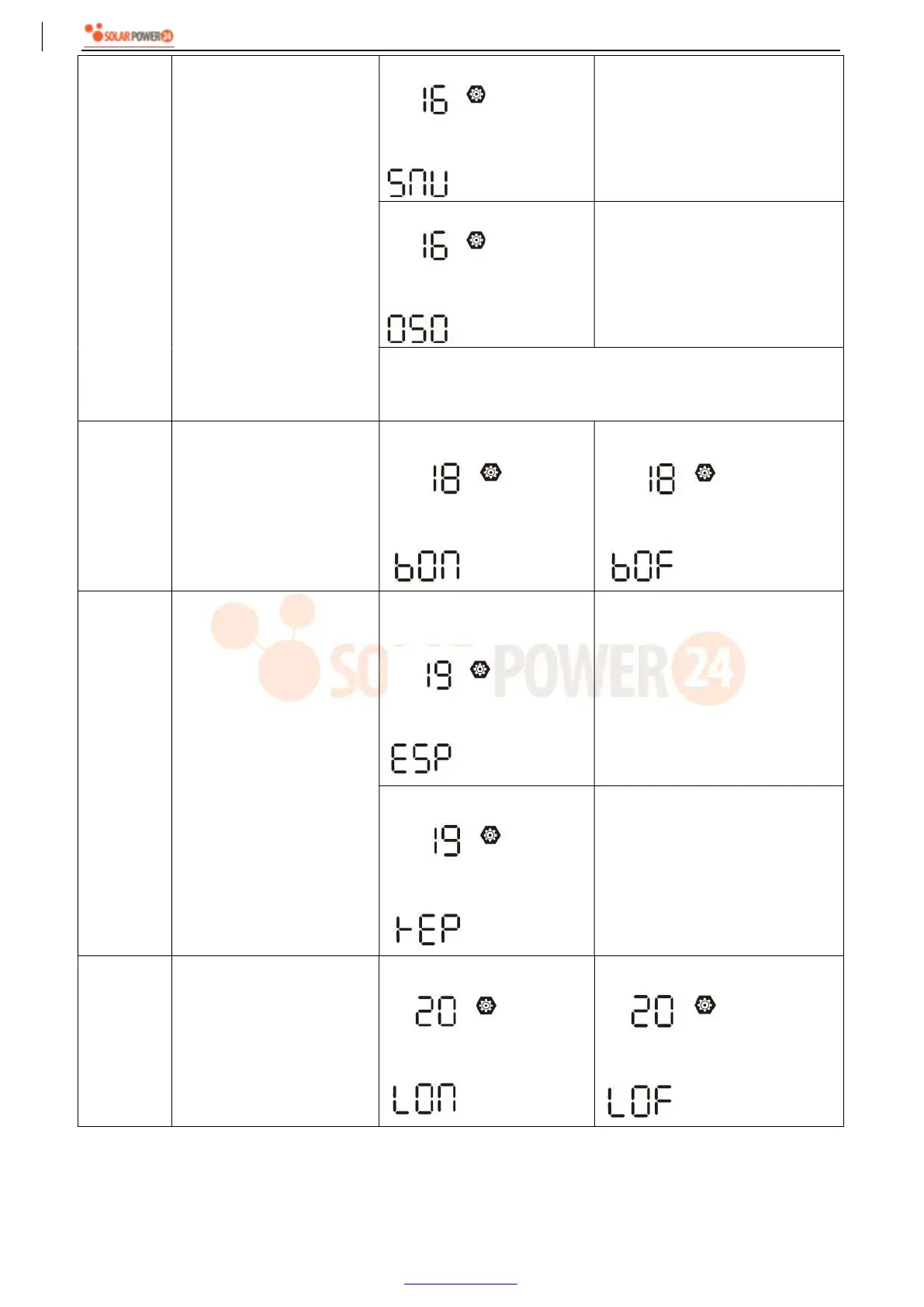
18 Alarm control
Alarm on (default)
Alarm off
19
Auto return to default
display screen
Return to default display
screen (default)
If selected, no matter how users
switch display screen, it will
automatically return to default
display screen (Input voltage
/output voltage) after no button is
pressed for 1 minute.
Stay at latest screen
If selected, the display screen will
stay at latest screen user finally
switches.
20 Backlight control
Backlight on (default)
Backlight off



 To Next Page