22
23
5.
Equipment Installation
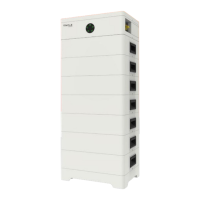
Regarding the Rack, users can purchase from our company. The following steps
take 6 battery modules as an example.
①
5. Equipment Installation 5. Equipment Installation
Step 2.
① Put the battery module into the rack
② Take the M6 × L16 screws (4 pcs) provided, and screw M6 × L16 into the front
side of the rack (Torque: 4-5 N·m)
M6 X L16 * 4
Torque: 4-5 N·m
Front side
L
ocation hole
L
ocation pin
Front
Rear side
L
ocation pin
L
ocation hole
Rear
②
Metal plate
Back side
Front side
Location hole
Location pin
Location hole
Location pin
5.1 Installation Environment Requirements
■ Ensure that the equipment is installed in a well ventilated environment;
■ To prevent fire due to high temperature, ensure that the ventilation vents or heat
dissipation system are not blocked when the equipment is running;
■ Do not expose the equipment to flammable or explosive gas or smoke. Do not
perform any operation on the equipment in such environments;
■ Ensure that the area is completely waterproof, and the floor is flat and level; and
■ Ensure that the temperature and humidity is maintained at a constant level, and
there is minimal dust and dirt in the area.
5.2 Installation Mode
There are two alternative installation modes (rack and cabinet) available for users.
5.2.1 Rack Installation
■ Installation Step
Step 1. Assemble rack
① Determine the front and rear sides, and place them on the floor
② Place the metal plate connecting both front and rear sides



 To Next Page
 Loading...