Warning: Ensure the pins are matched properly.
Note: The scooter has a self-locking function to prevent driving when you charge the battery.
7 Battery and Battery Charging
This scooter is designed with a maintenance free, high quality Li-polymer (Lithium) battery. Please follow the
below instructions to ensure a long-lasting battery life.
Charge the battery before the first operation.
Avoid your battery to go flat/fully use its charge as this will damage the battery
If you know that you will not be using your scooter for a long period of time, you can follow the below instructions
to prevent severe damage
1.Fully charge the battery
2.Remove battery from scooter
3.Store the battery and scooter in a cool and dry place with steady temperature and temperatures that do not exceed
25’C or under 10’C
7.1 Battery charging guide
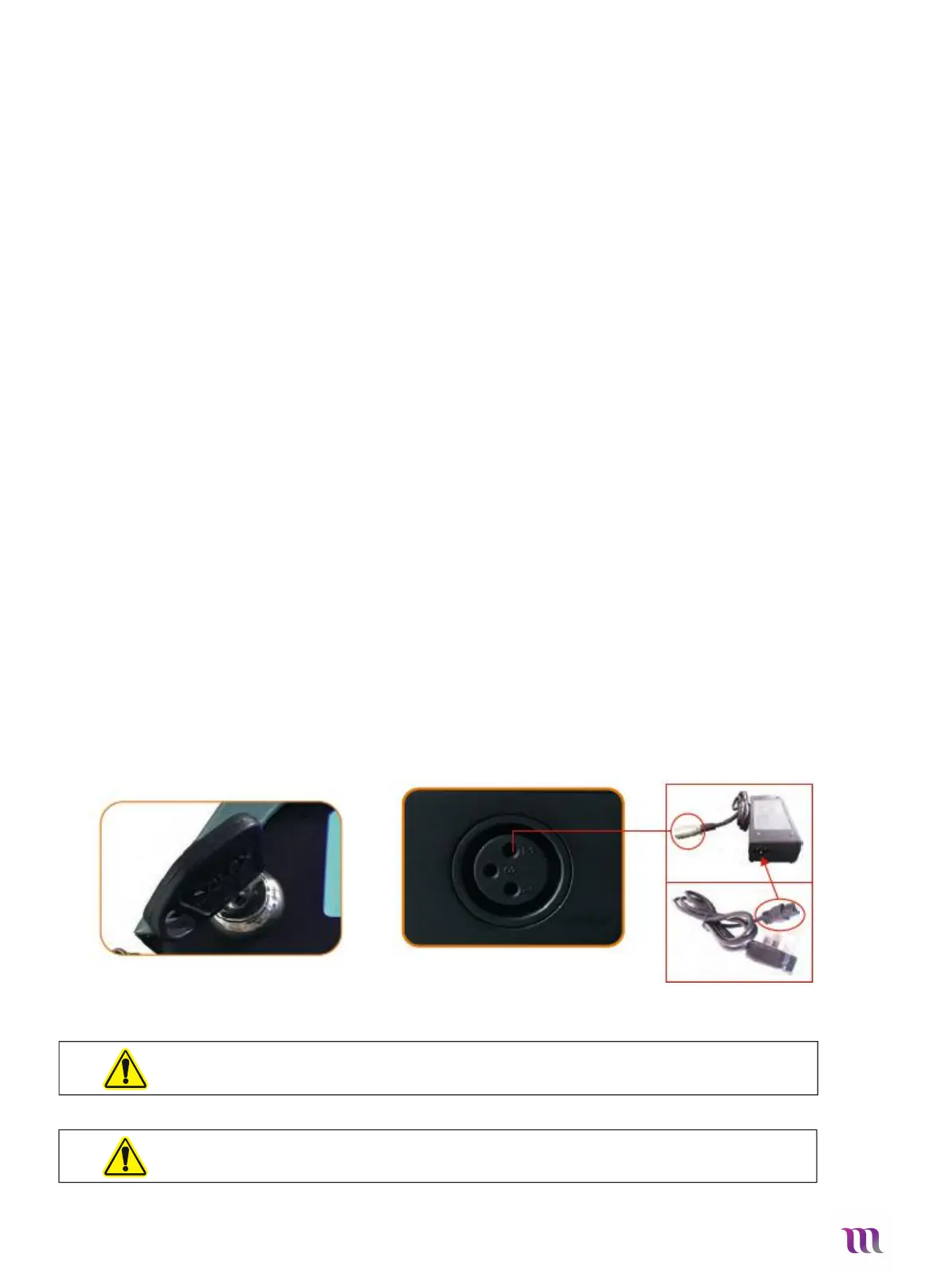
You can charge your Solax Maleta in the folded or unfolded position. The Charging Socket is in the center of
your scooters dash. Please see image below.
1. Ensure your scooter is turned off (Set key to “off” position) – Fig.21
2.
Open the protective rubber tab
3. Plug the charger into a functioning power socket or extension lead cable
4. Plug the specialized Plug into the socket under your scooters dash, ensuring the pins are lined up correctly – Fig.22
5. The light on the battery charging unit will change depending on battery status. Red & Orange light indicates power on, and
charging and green light means fully charged
6. Turn off the power switch first when the battery is fully charged. Then take out the DC charging connector before you take
out the AC input power socket.
7. If the red light is off when the power on, please check whether the power plug is properly inserted.
8.
Normally allows 8-14 hours for charging.
Fig. 21 Fig.22


 To Next Page