Notice: Do not put the control panel in the humid area. If the control panel has been affected by moisture
before using, please ensure it is dry when you operate it.
Warning: If turn off the battery during operating. The electromagnetic brake will be locked, and your scooter will stop
suddenly.
3 Main Parts and Relevant Function
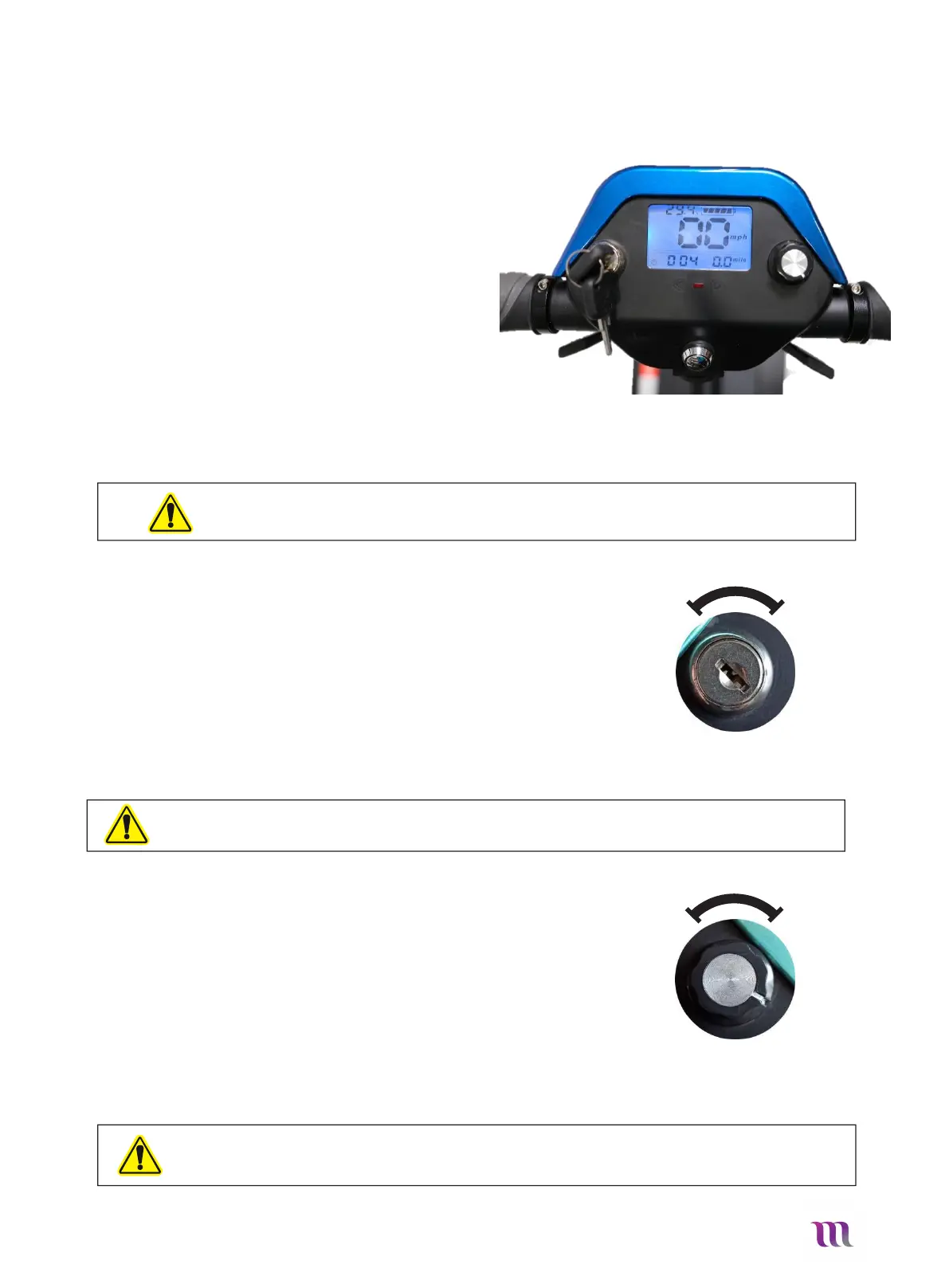
3.1 Control Panel/Dash - Fig.04
The Dash is the “control-center” of your Solax
Maleta. It offers access to all the features and
controls.
It features
Horn
Key Ignition
Charge Socket
Speed adjustment dial
Fold/unfold button
LCD Display
Forward and Reverse Levers
Fig. 04
3.2 Key Ignition – Fig. 05
Turn the key switch clockwise to ON, this will turn on the scooter.
Turn the key switch anticlockwise to OFF, to turn the scooter off.
Please turn the power off when you stop driving.
Always turn the scooter off when entering or exiting the
scooter to avoid “knocking the controls” and causing
unexpected movement.
Fig.05
3.3 Speed adjustment dial – Fig. 06
The speed adjustment dial is used for controlling the speed
when driving. You can set the speed from 0km/h to 6km/h.
When you adjust the dial to the left end (the slowest), it is
the minimum speed; when you adjust the knob to the right
end (the fastest), it is the maximum speed.
Warning: when you are turning or driving backward, please do not adjust the speed to the maximum speed.


 To Next Page