17 LCB FITNESS BIKE
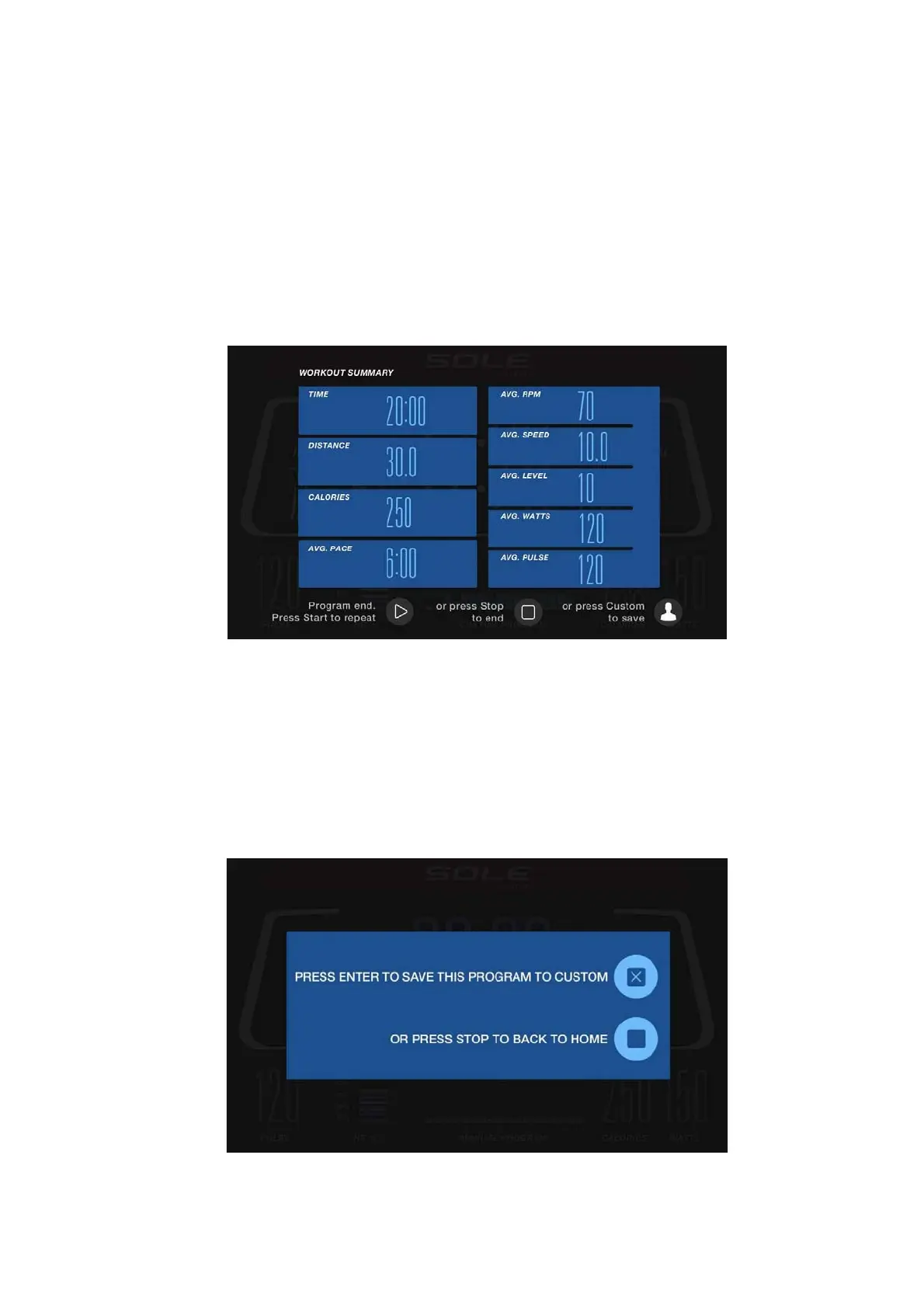
10. When the program ends, the Window will show a summary of your workout. The summary
will be displayed for a short time then the console will return to the startup display. SUMMARY
data contains TIME, DISTANCE, CALORIES, AVG. PACE, AVG. RPM, AVG. SPEED, and the AVG.
LEVEL, AVG. WATTS and AVG. PULSE.
11. The left corner of the screen displays "PROGRAM END. PRESS START TO REPEAT”. The Middle
of the screen displays " OR PRESS STOP TO END ". The right corner shows" OR PRESS USER TO
SAVE ". In the SUMMARY screen, when the action is not stored, for 3 minutes, the screen
display will automatically go back to main workout home page or press STOP to return to
main workout home page.
12. You can store workout data to Custom by performing the following steps.
When the START key is pressed again, the console will display the previously
programmed customer data.
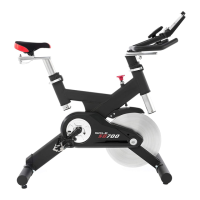
When the user presses the Custom button, the screen displays "PRESS ENTER TO SAVE
THIS PROGRAM TO CUSTOM OR PRESS STOP TO BACK TO HOME". Press the ENTER key
to confirm storage, press the STOP key if you choose not to store and return to main
workout home page.



 To Next Page