LCB FITNESS BIKE
16
PROGRAMMABLE
FEATURES
MANUAL PROGRAM
The Manual program works as the name implies, manually. This means that you control the
workload yourself and not the computer.
1. Press the Manual program button.
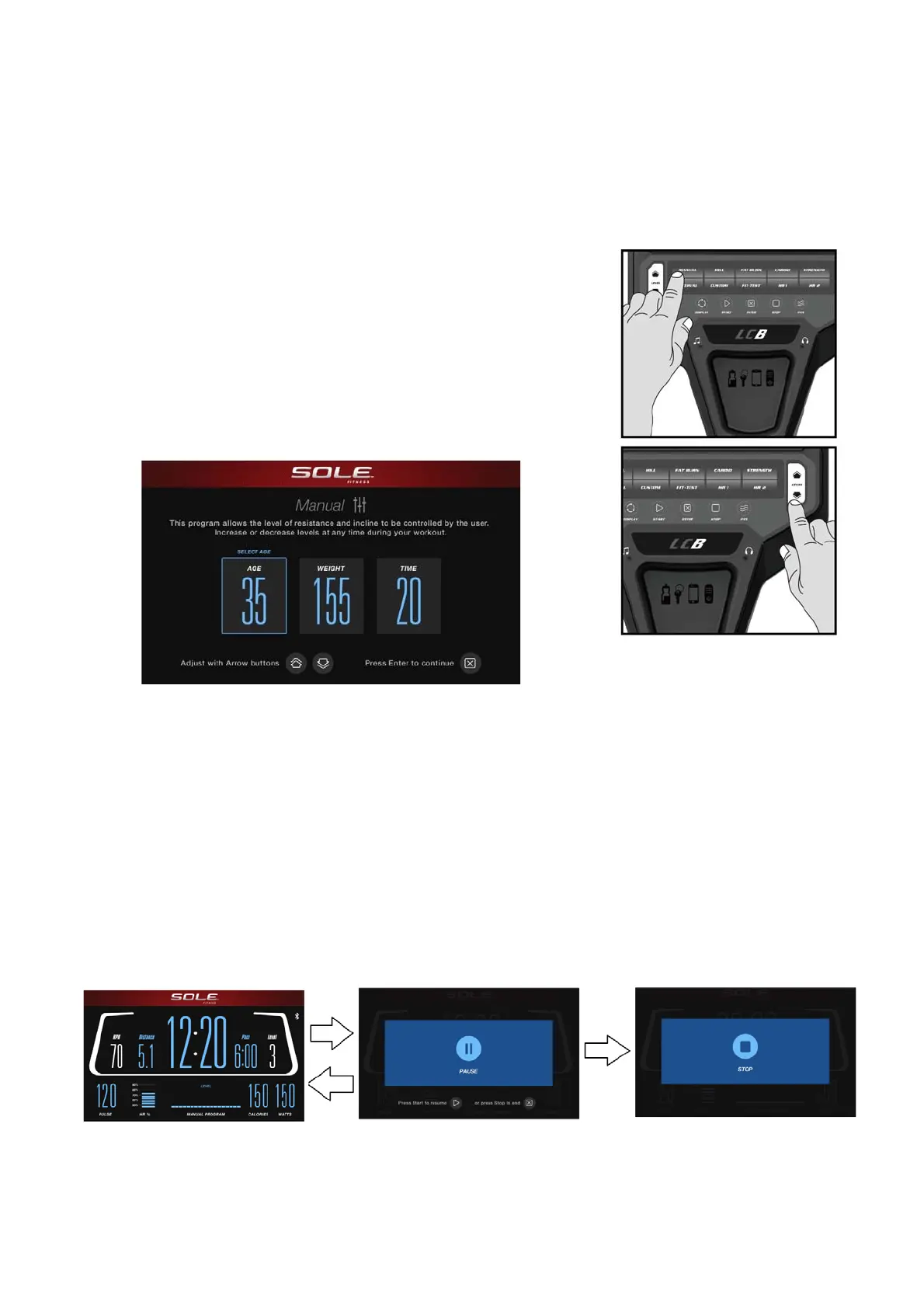
2. In the settings menu, Age will be displayed 1st. You may
▲▼
adjust the age setting using the Level / keys, then press
the Enter key.
3. You are now asked to enter your Weight. You may adjust your
weight setting using the Level
▲
/
▼
keys, then press Enter to
continue.
4. Next is the Time. You may adjust the length of Time by pressing
the Level
▲
/
▼
keys, then press Enter to continue.
5. Now you are finished editing the settings and can begin your workout
by pressing the Start key. You can also go back and modify your settings
by pressing the Stop key to go back one level of the programming
screen.
6. Once the program starts the bikel will be set to level one. This is the easiest level and it is a
good idea to stay at level one for a while to warm up. If you want to increase the work load at
any time press the Level
▲
key; the Level
▼
key will decrease the workload.
7. When you workout in Manual program mode, pressing the DISPLAY key will change the
display information.
8. During your workout, pressing the STOP key will pause the program. The bottom left of
screen states "PRESS START TO RESUME"; lower right of screen states "OR PRESS STOP TO
END". The 2nd time the STOP key is pressed, “STOP” will appear.



 To Next Page