LCB FITNESS BIKE
26
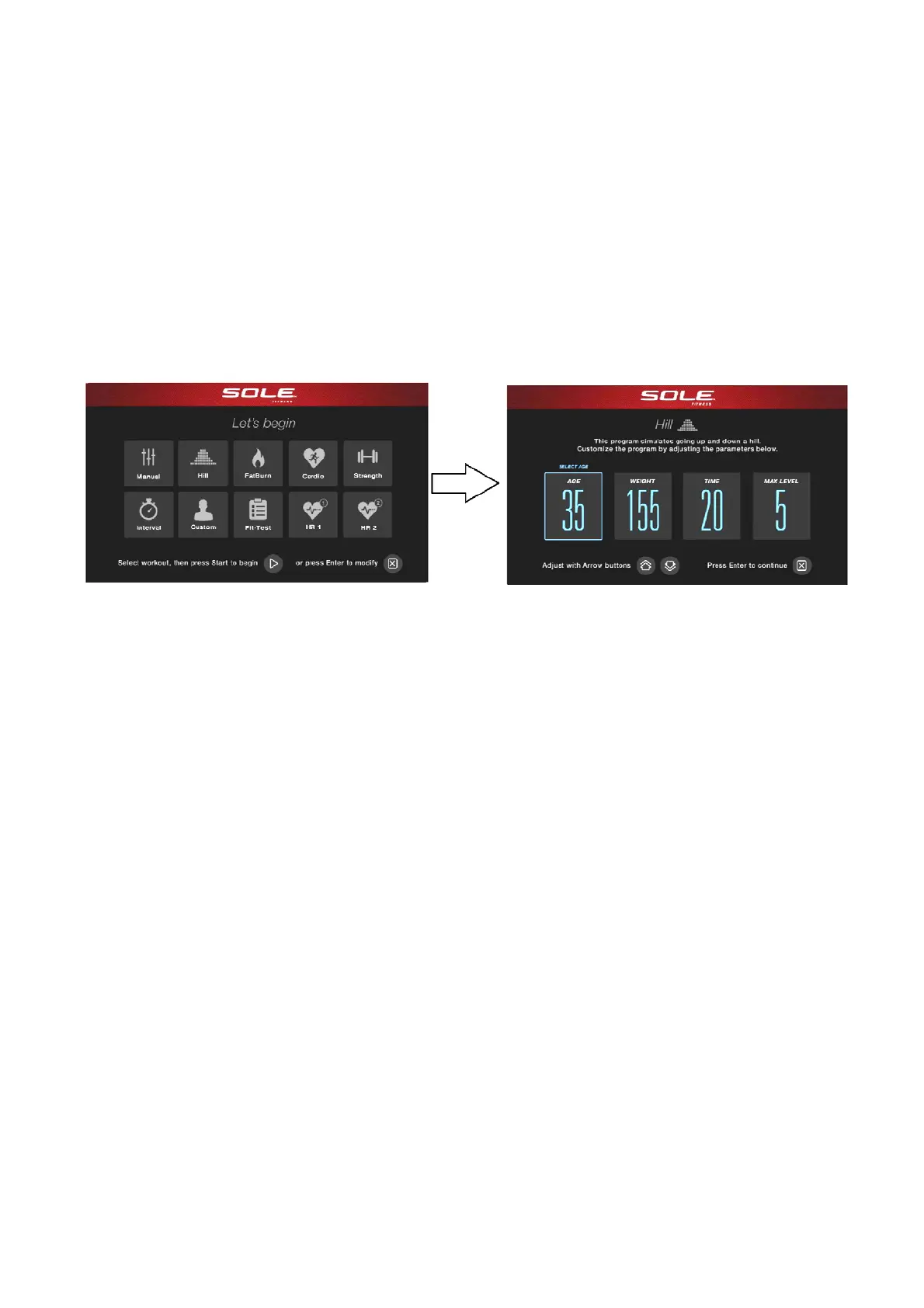
HEART RATE PROGRAM OPERATION
Both programs operate the same, the only difference is that the default for HR1 is set to 60% and HR2
is set to 80% of the maximum heart rate. They both are programmed the same way. To start an HR
program follow the instructions below or just select the HR1 or HR2 program, then press the Enter
button and follow the directions in the Message Window.
1. Press the HR1 or HR2 key.
2. During programming, the menu will display Age.
▲▼
You may enter your Age, using the Level /
keys or the numeric key pad, then press the Enter key to accept the new number and proceed on to
the next page.
3. You are now asked to enter your Weight. You may adjust the Weight using the Level
▲
/
▼
keys, or the numeric key pad then press Enter to continue.
4. Next is Time. You may adjust the Time and press Enter to continue.
5. Now you are asked to adjust your Target Heart Rate. This is the heart rate level you will strive to
reach and maintain during the program. Adjust the level and then press Enter.
6. Now you are finished editing the settings and can begin your workout by pressing the Start key.
You can also go back and modify your settings by pressing the Enter key. Note: At any time
during the editing of Data you can press the Stop key to go back one level, or screen.
7. If you want to increase or decrease the workload at any time during the program press the Level
▲
/
▼
keys. This will allow you to change your Target Heart Rate at any time during the program.
8. When the program ends you may press Start to begin the same program again or Stop to exit the
program.



 To Next Page