LCB FITNESS BIKE
29
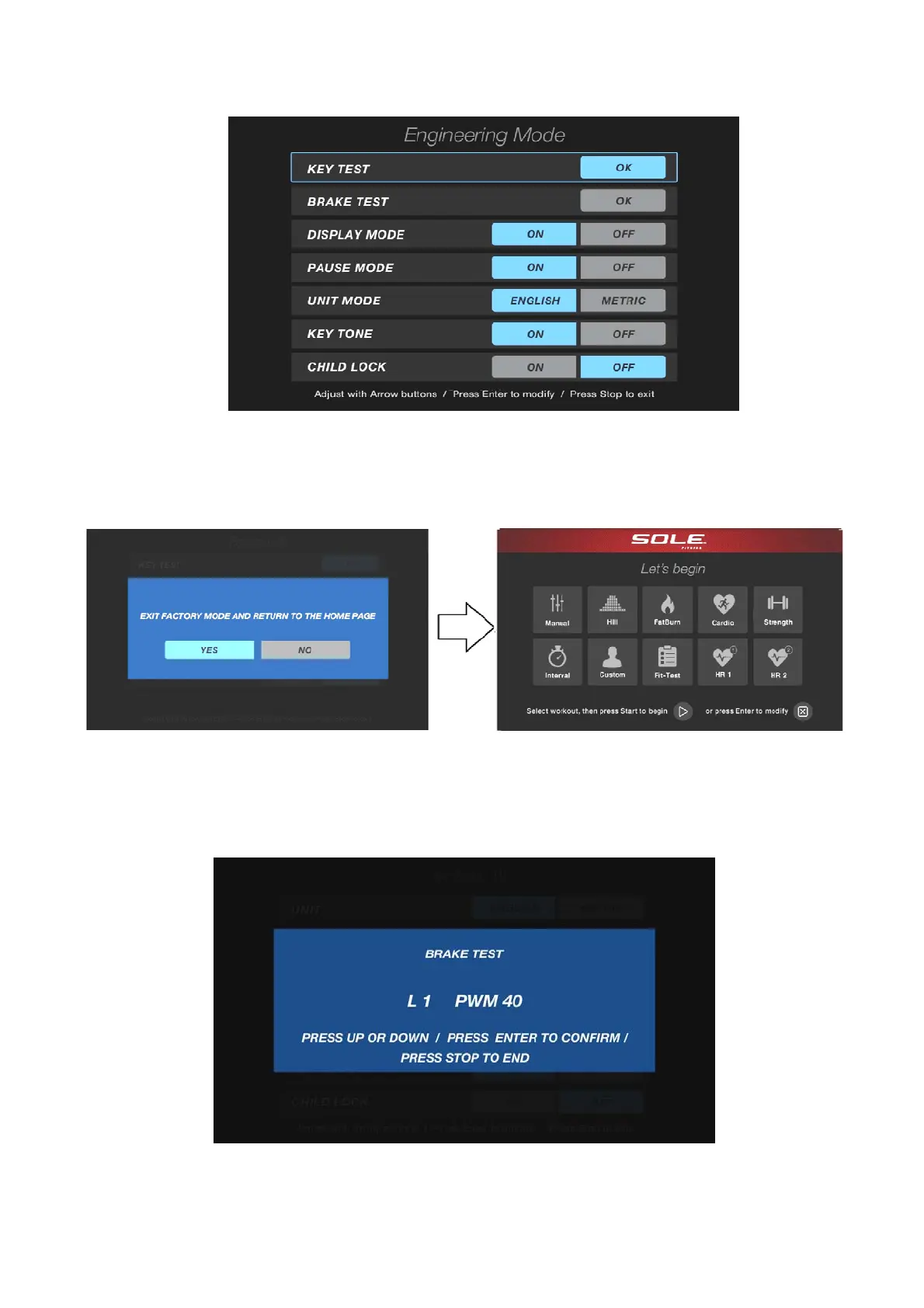
Engineering Mode display page
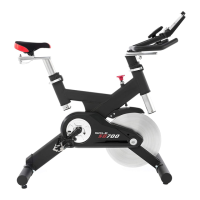
When the STOP key is pressed, the screen appeared to exit the prompt string "EXIT FACTORY
MODE AND RETURN TO THE HOME PAGE". Press YES, then back to main workout home page.
Press NO you back to the Maintenance menu page, the screen shown below:
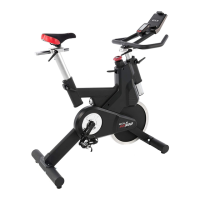
Select "BRAKE TEST" and press ENTER to enter the test, the screen display "BRAKE TEST" and
below "L1 PWM XX", press ENTER to enter L1, and then adjust the value as
LEVEL_UP/LEVEL_DOWN key, after this adjustment, and then press ENTER to confirm the value,
and so on. When adjust to L20, will complete and return to the menu screen. (PWM value
adjustment the greater output is larger, ranging 0~512)
Brake test page



 To Next Page