The hob can be turned on after it is properly installed in the kitchen cabinet countertop, the type of
gas is verified, and it is connected to the gas and electric supply systems. After the hob is
connected to the gas supply system, it is necessary to check
i
if gas does not leak from the
connection.
If an exhaust hood is installed over the hob, then the minimum distance between the hood and the
ceramic plate of the hob may not be less than 750 mm. Before starting the hob, the ceramic plate
should be washed with soft cloth and soapy water or a cleaning agent. After the plate dries, the
burners can be ignited.
After the startup, due to the combustion of protective lubricants, it is necessary to ventilate the
room by opening the window or turning on the mechanical ventilation. This increases the air
exchange in the kitchen and allows the faulty smells to be removed.
Before the hob is started up and the individual burners are ignited, the following must done:
- put the supply cable plug of the power source into the socket of the power supply system and put
the low-voltage 12 V cable ending with a round plug in the hob supply socket. The socket is
located on the bottom of the hob.
- open the gas cut-off valve.
After the hob is connected to the electric system, it is ready for work, which is indicated by a diode
located next to the sensor.
- after the sensor of the main switch is touched with a finger, its indicator is turned off and the hob
is ready to receive instructions. For 5 seconds, all indicators show “0”. If we take no further steps,
after a while the electronic system of the hob goes into a standby mode, the indicators are switched
off and the main switch sensor is turned on again.
- TIMER function, touch a burner selection filed twice (Fig.2, no 5 or 6), touch “+” and “-“ to
select time in minutes (from 1 to 99min.), the burner stops automatically after selected time
3.2. Switching on and setting the heating power of burners.
-NOTE!!!! - do not switch on the hob burners for a prolonged period without filled dishes put
on the hot fields first!!! Otherwise, your device might be damaged.
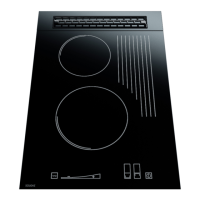
-When you choose any single burner by touching the controller activating field no 5, or 6, on
fig. 2 and set the power by touching the power setting slider, no 3 fig. 2, within a range
exceeding “0”, the selected burner will go on. This is supposed to happen within less than 5
seconds of enabling the controller via on/off sensor – item on fig. 2. If the delay is longer than
specified above, the burner will not start and the controller will switch to standby mode until
further instruction is received.
-All changes of controller program status are accompanied by short sound signals.
1. To start individual burners of the hob, make sure you do the following:
2.Put a filled dish on the relevant hot field.
3. Touch the on/off sensor no 9 fig. 2. “0” indicators will light up in fields 7, 8. If you touch
the sensor corresponding to the selected burner – fig. 2. again, as needed and as indicated on the
heating panel, you start the second stage of burner setting. Slide your finger along the setting slider
– no 3 on fig. 2 – to set the required power of the heating pad. At that time, the power setting
display – no 4 of fig. 2 – displays a row of diodes and a digital message shows in the previously
selected field, within the range of 0 to 9, showing the power value set. As the row of diodes
extends and the message number displayed increases, the burner power increases as well, and
opposite – if you slide your finger towards the key symbol, you will reduce the power setting. The
row of LEDs will simultaneously become shorter and the numbers displayed are lower, to finally
reach “0”. “9” corresponds to the maximum heating power of the burner, and “0” corresponds to
no power set.
4. After 1 to 3 seconds, the burner will start burning gas (the ceramic insert under the heating plate
will turn red when fully heated).
You may also vary the burner power in a different way. First activate the selected burner (fields
5, 6,of the controller) by touching any location within the power setting control field – no 3 on fig.


 To Next Page