Step 4: Find your cell tower
Click the red or green dot on the map that represents the base station, and the detailed
information of the base station will be displayed.
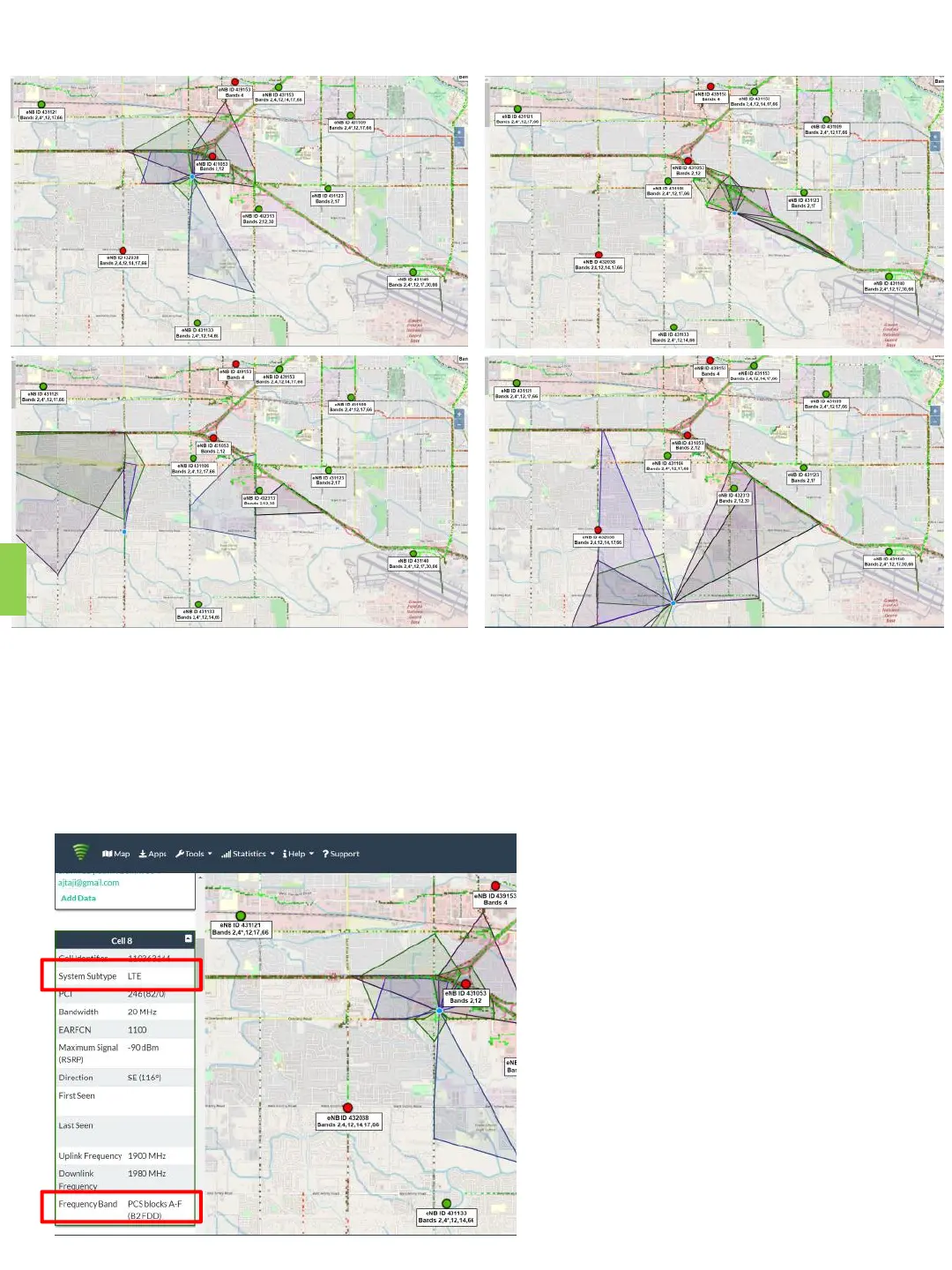
• The first important information, you can see from the above four pictures, the
coverage area (shaded part) of each base station is different. You have to find a base
station with signal coverage to your house, or the coverage direction is facing you,
and the coverage area is closest to you.
• The second important information,
you can scroll the information
content on the left to find the
specific carrier information of this
base station, including the
communication standard and
frequency band. Please reference
the left picture, “LTE” and “B2
FDD”(Band 2, FDD).
6


 To Next Page