Need help?
Do you have a question about the SolidRF SR14652002A and is the answer not in the manual?
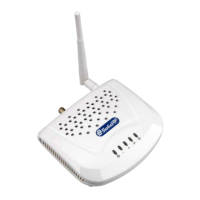
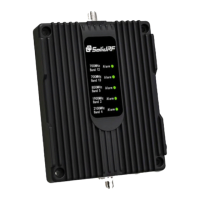
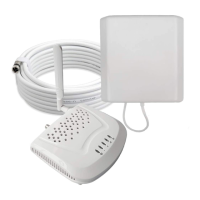
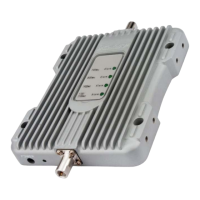
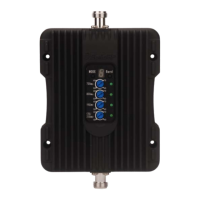
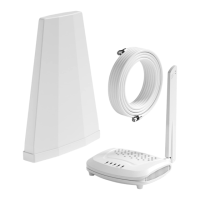
Lists the items included in the kit for the signal booster.
Explains how FCC regulations affect coverage area based on original signal power.
Guides users to visit cellmapper.net to locate their nearest cell tower.
Instructs users to locate their specific area on the cellmapper.net map.
Guides users to select their cellular provider on the map to view towers.
Details how to identify the correct base station and its coverage area on the map.
Instructions for iPhone users to access signal strength testing via a dial code.
Instructions for Android users to download an app for signal strength testing.
Explains how to select the optimal location for the outdoor antenna based on signal strength.
Guides on temporarily mounting the outdoor antenna on the roof or chimney.
Details the required separation distance between indoor and outdoor units.
Instructions to test and record signal strength at various indoor locations.
Recommends placing the indoor antenna in the outdoor antenna's blind area for best results.
Suggests placing the indoor antenna behind the outdoor antenna's blind area as a good alternative.
Warns against pointing the outdoor antenna directly towards the indoor antenna.
Advises against positioning the indoor antenna in front of the outdoor antenna.
Details connecting the outdoor antenna to the RG6 cable and securing it.
Instructs to connect the cable to the 'OUTSIDE' port of the booster unit.
Instructs to connect the indoor antenna to the 'INSIDE' port of the booster.
Guides to plug in the power adapter to a nearby power outlet.
Explains the meaning of the indicator lights during the booster's self-test phase.
Guides users on how to test and confirm the booster's effectiveness after installation.
Provides a visual method to confirm the booster's installation effectiveness and signal improvement.
Details options for mounting the outdoor antenna, emphasizing distance from windows.
Explains how to properly seal and secure antenna connectors to prevent damage.
Provides guidelines for selecting the best position for the indoor antenna.
Advises on mounting the booster in a ventilated, dry place away from heat.
Guides on finding and securing the cable route for the system.
Explains how to manage excess cables to ensure system stability and prevent issues.
Describes the correct functioning of the booster's front panel indicator lights.
Explains the correct functioning of the DC power indicator light.
Provides steps to troubleshoot when the DC power indicator is off.
Explains troubleshooting steps related to flashing or solid green status lights on the booster.
Details the meaning of different indicator statuses and recommended actions.
Explains the basic concept of oscillation, similar to audio feedback.
Provides steps to confirm if the system is experiencing oscillation issues.
Emphasizes maintaining adequate separation distance between indoor and outdoor antennas.
Explains the importance of mounting the outdoor antenna above the roof line for isolation.
Guides to position the indoor antenna within the outdoor antenna's blind area to prevent oscillation.
Advises checking for reflective surfaces that might cause signal reflection and oscillation.
Describes adjusting the outdoor antenna's horizontal rotation to avoid reflective surfaces.
Describes adjusting the outdoor antenna's vertical angle to avoid reflective surfaces.
Advises checking if the booster supports the required cellular bands for signal improvement.
Recommends checking the incoming signal strength at the outdoor antenna's location.
Instructs to check indicator lights for alarms and refer to oscillation troubleshooting.
Guides users to re-verify the cell tower direction using cellmapper.net.
Advises finding the best dBm reading location to determine the correct cell tower direction.
Details improving outdoor antenna reception, especially regarding tree obstructions.
Suggests raising the outdoor antenna's installation position to improve signal reception.
Discusses the impact of adding more cables on system gain and coverage radius.
Addresses the need for and placement of lightning arresters for antenna protection.
Explains that elevated booster temperature during operation is normal.
States the number of devices that can be supported simultaneously by each band.
Provides detailed technical specifications for the signal booster system.
Outlines the terms and conditions of the product's three-year warranty.
Lists important warnings and recommendations for safe and proper use of the booster.
Explains the built-in safeguards protecting the cellular network from interference.
Provides essential safety guidelines for installing and using the signal booster.
Specifies minimum separation distances for indoor antennas based on type.
Details the gain/loss specifications for various cables and antennas.
Lists the default combinations of booster models with specific antennas and cables.

 To Next Page
 General