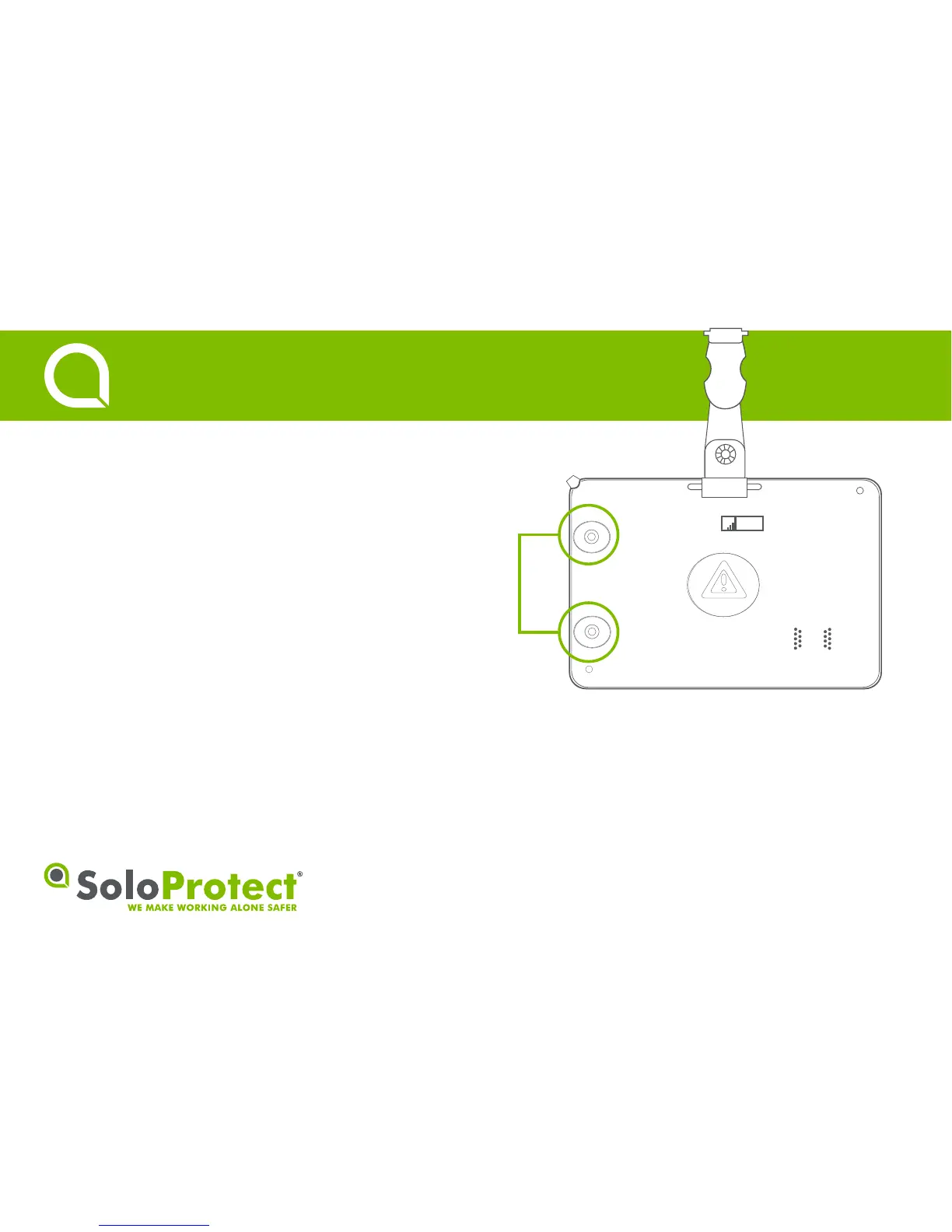
Function:
Turns the SoloProtect ID On or Off.
How to use:
Press highlighted buons simultaneously unl you feel a vibraon.
On – You will feel one vibraon and the SoloProtect ID will then go
through a symbol, light, vibrate and tone sequence.
Off – You will feel two vibraons.
• The device is switched on when removed from charge.
• When turned on, SoloProtect ID will aempt to obtain a
Geolocaon fix as part of the boot-up sequence. See secon 8 for
more informaon.
2
Turning On/Off
Quick Start Guide


 To Next Page