8 APPLICATION SETUP
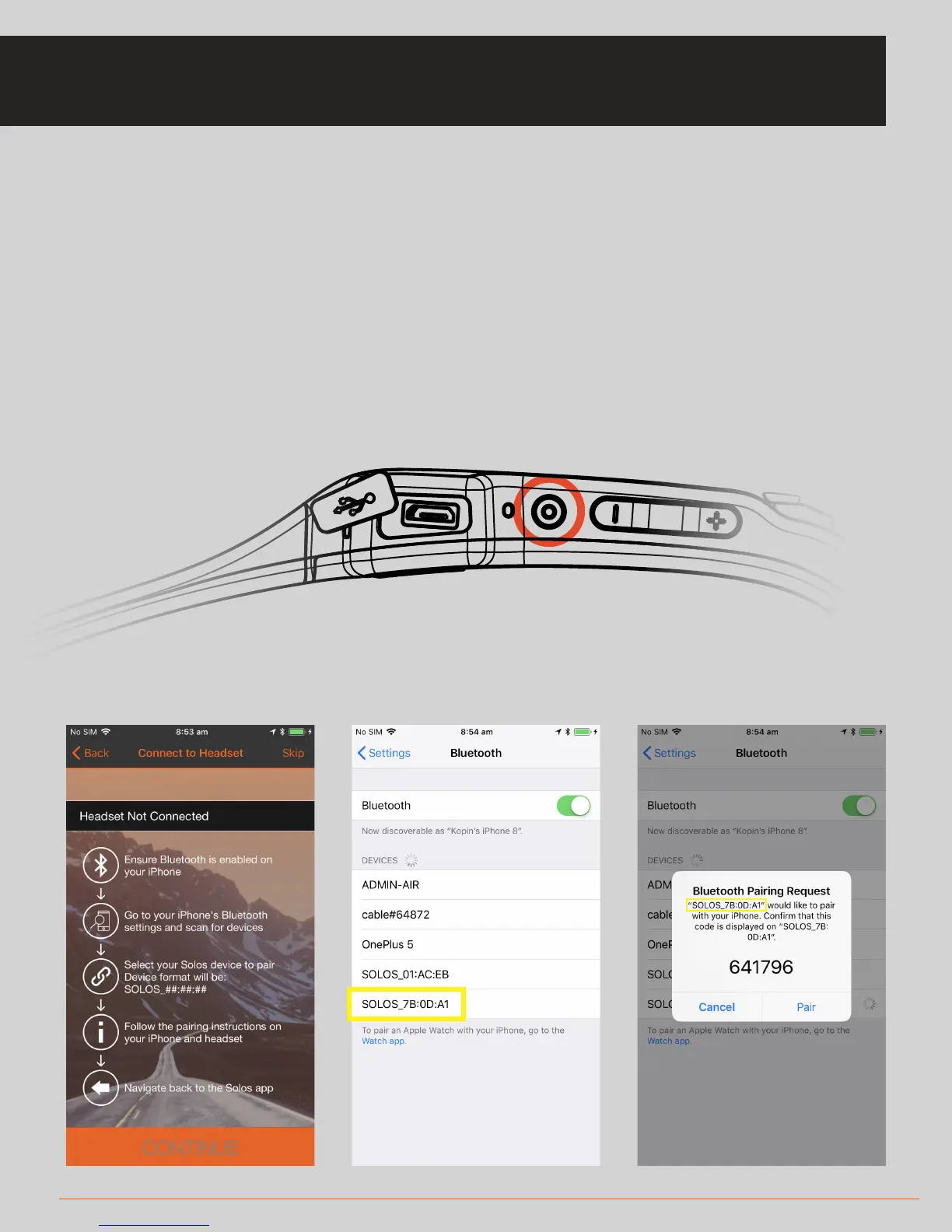
• Ensure Bluetooth is enabled and that your SOLOS unit is switched on
• The app will search for nearby SOLOS headsets
• Go to your iPhone's bluetooth settings
• Select your SOLOS headset to begin pairing. (One of the screens will display your
headset name)
• Accept the pairing request on both the phone and on the headset
(by pressing the main button)
• The app will confirm when the connection is made.
SETUP: CONNECT HEADSET



 To Next Page