23 VOICE CONTROL
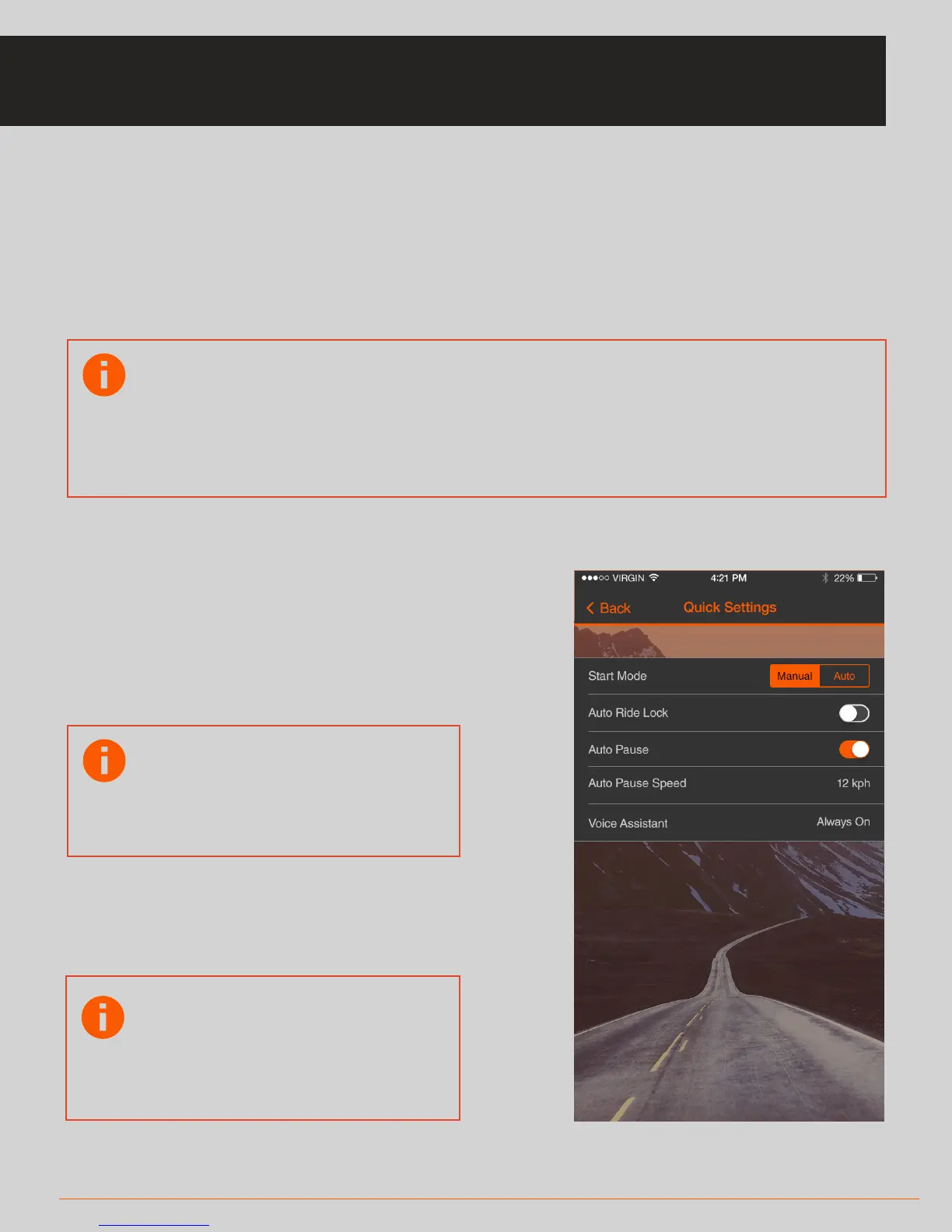
• To enable voice control, click on Quick Settings on the Ride/Run screen and
switch on the feature.
There are a variety of commands you can issue, including:
* “Start ride” (starts the ride)
* “Show [metric name]” (for example “show time”, shows the metric requested)
Eg: “Show Time” ; “Show Speed” ; “Show Pace” ; “Show Heart Rate” ; “Show Power”
* “Make a call” (enables you to
initiate a phone call to a contact
name from your address book on
your phone)
* “End ride/run” (ends the ride/run)
Note: Voice control accuracy
can be negatively aected by
high wind noise when
cycling at speed.
See page 24 & 25 for more voice commands
Note: This requires that you
granted the app permission
to access your contacts
database on your phone
Note: It will work for metrics that have been enabled for that activity
in Settings – active metrics. It also will only respond if that metric has
‘active data’ (for example it won’t trigger the ‘Show Heart Rate”
command if you have no heart rate sensor connected that is
providing data
VOICE CONTROL



 To Next Page