Functions
Automatic closing function
ATTENTION!
Risk of injury during automatic closing.
Automatically closing gates may injure persons within the
range of movement of the gate when closing.
Always install a photo cell before activating the function.
This is a legal requirement.
IMPORTANT INFORMATION!
When using the automatic close function, ensure compliance
with standard EN 12453 (e.g. install photo cell 1). Connect
an additional photo cell to safety connection 2. It reacts only
when the gate is closing.
IMPORTANT INFORMATION!
Operation with automatic closing must comply with EN 12453.
IMPORTANT INFORMATION!
There are two types of automatic closing.
Both allow the open holding time to be set from
1 - 120 seconds.
1. Semi-automatic closing function
2. Fully automatic closing function
IMPORTANT INFORMATION!
A warning light connected to warning light connection 1
(terminal 16 + 17) flashes during automatic closing.
IMPORTANT INFORMATION!
With the exception of some regions, the fully automatic
closing function is set by default.
The type of automatic closing function can only be changed
using TorMinal (see the current TorMinal instructions).
Fully automatic closing function
▫ All commands are ignored during opening
▫ When the gate OPEN end position or the programmed partial
opening position is reached, the open holding time (OHT) starts
▫ If a pulse command is received (e.g. START button or radio
channel 1), the OHT is restarted
▫ If an new partial opening command is received at the "partial
opening" operator setting, the OHT is restarted
Semi-automatic closing function
▫ All commands from command transmitters are accepted
▫ When the gate OPEN end position or the programmed
partial opening position is reached, the open holding time starts
(referred to as OHT below)
▫ The gate closes on expiration of the OHT
▫ If a pulse command is received (e.g. START button or radio
channel 1), the OHT is reduced
▫ The OHT is reduced if a partial opening command is received
▫ The OHT does not expire at an intermediate stop
IMPORTANT INFORMATION!
Partial opening and automatic closing
Use both functions together, first partial opening (DIP 8 ON)
and then adjust automatic closing.
120
1
ON
7 865
4321
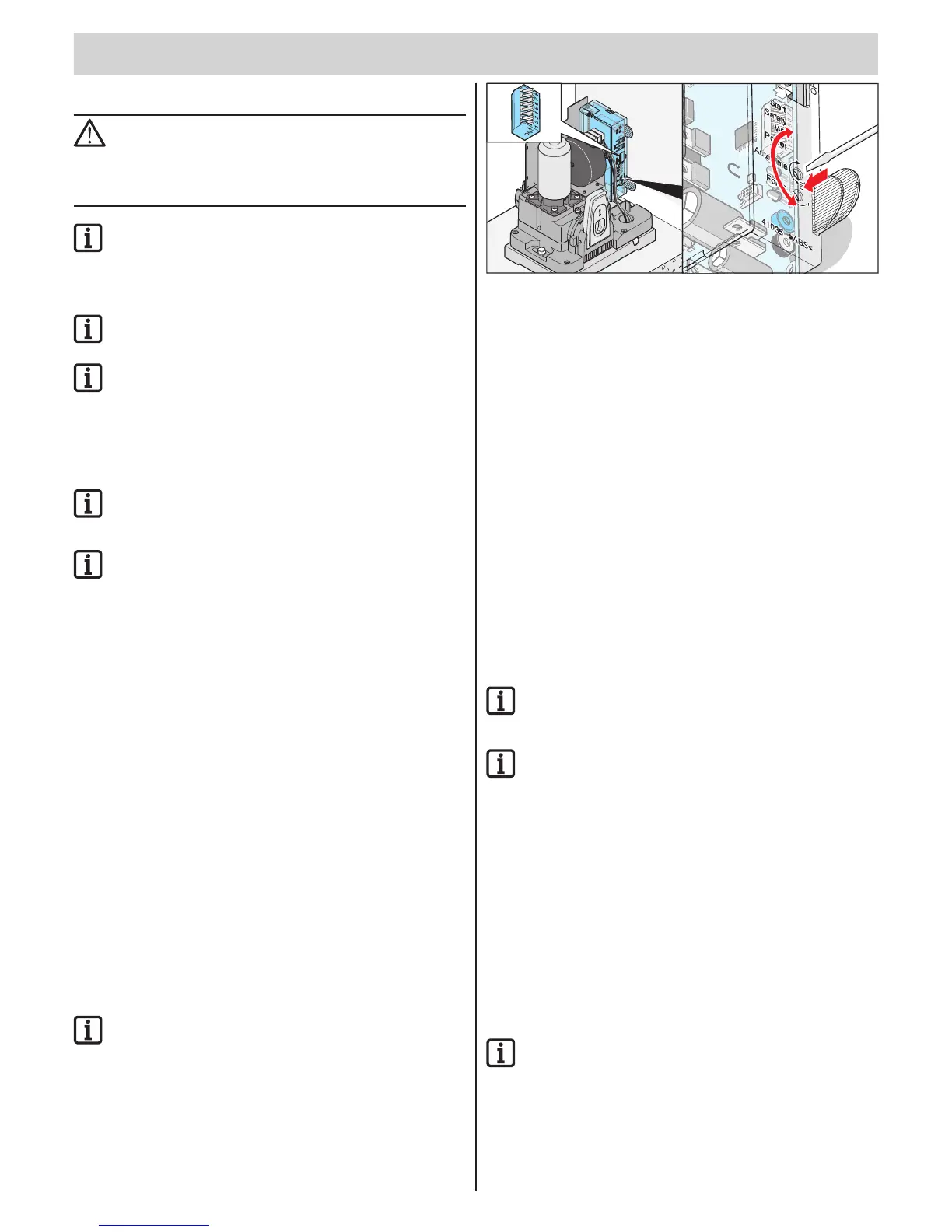
Switch open hold time on and off with potentiometer:
▫ Time can be set from 1 - 120 seconds
▫ Switch off -> left stop
Behaviour of operator when safety inputs 1 + 2 are
triggered
When gate is opening:
Operator behaviour depending on setting of DIP switch 1.
When gate is closing:
operator always opens gate completely, regardless of the setting of
DIP switch 3.
Variant 1: Automatic closing function
Automatic closing is activated when the gate OPEN end position
is reached. The stay-open time set with the potentiometer starts at
this point. If a command is sent during this period, the time is reset.
Settings:
• Set the potentiometer for the desired time (1 - 120 seconds)
• DIP switch 4, 7 + 8 OFF
• other DIP switches as desired
Variant 2: Automatic closing + photo cell (DIP 4)
IMPORTANT INFORMATION!
Install a switch in the photo cell supply line for manual
interruption of automatic close.
IMPORTANT INFORMATION!
If a photo cell event occurs during the automatic closing
function, the operator reverses completely.
However, as in type 1, the operator closes the gate 5 seconds after
interruption of the photo cell.
• Photo cell at safety connection 2 (terminal 8 + 9)
Settings:
• Set the potentiometer for the desired time (1 - 120 seconds)
• DIP switch 7 + 8 OFF
• DIP switch 4 ON
• other DIP switches as desired
Variant 3: Automatic closing + safety contact
strip + photo cell
IMPORTANT INFORMATION!
Install a switch in the photo cell supply line for manual
interruption of automatic close.
However, as in type 1, the operator closes the gate 5 seconds after
interruption of the photo cell.
• Safety contact strip at safety connection 1 (terminal 6 + 7)
• Photo cell at safety connection 2 (terminal 8 + 9)



 To Next Page
 Loading...