29
Security Best Practice Guide
GEO IP Fencing
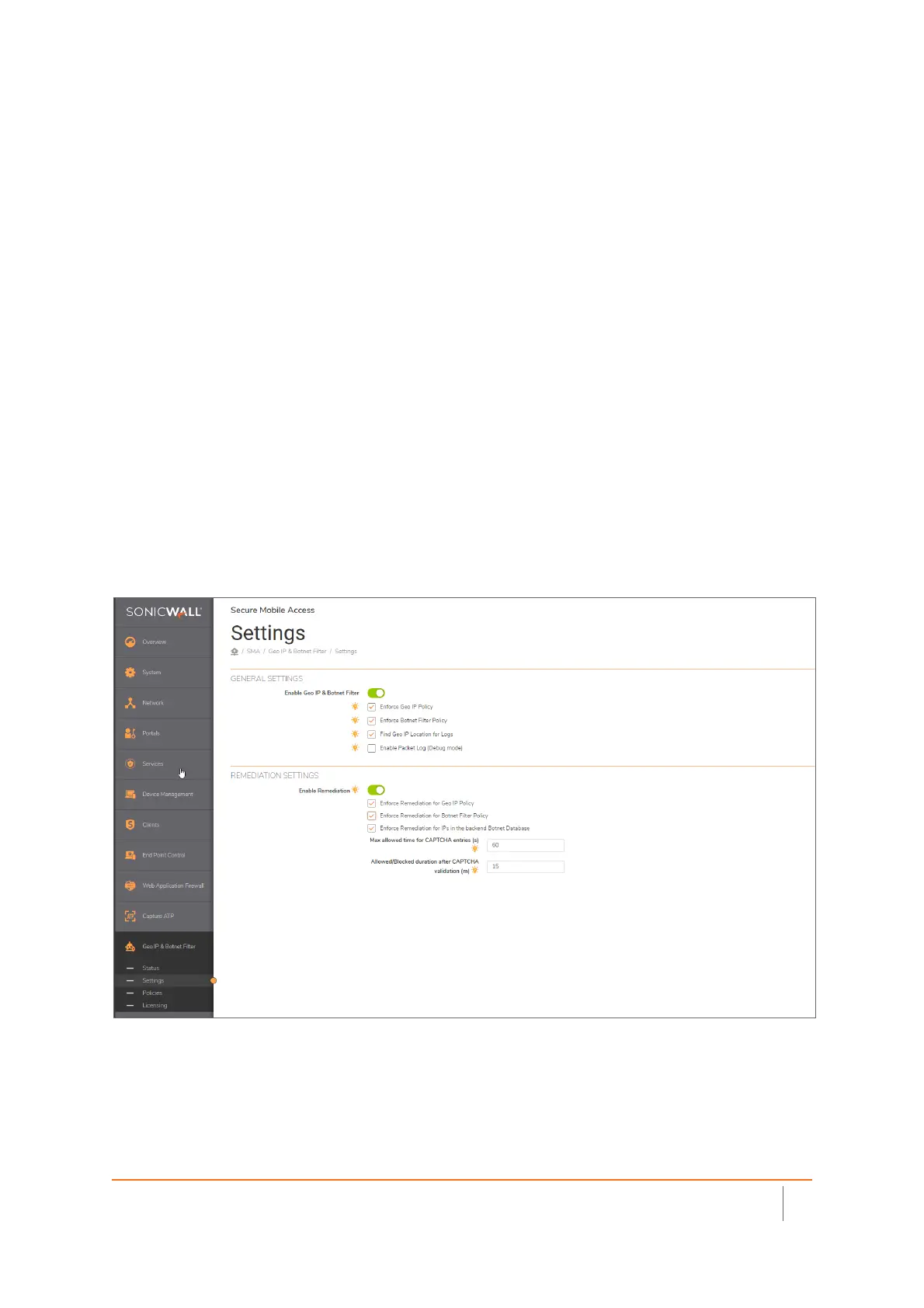
The SonicWall SMA 100 series contains a very advanced geo fencing capability. This feature allows the
administrator to block access from countries that are not a travel destination for employees, or a location that
a customer or client would be connecting from. By adding this layer of security, you can reduce the number of
attacks by a significant amount. Most threats to networks occur from outside the resident country where the
appliance is located.
The SMA 100 series can also add the geo location within the connectivity logs. This helps identify not only
where the users are coming from (authorized users), but also helps identify where threat actors may be
residing.
In the event your organization is international, and you still wish to put a policy in place to help keep bad
actors from using auto dialers to try and connect to your system- you can enable the CAPTCHA feature. This
would require a human to identify the letters and numbers in a random picture and manually enter this
information before being allowed to connect from outside your geo fence area. Those who guess wrong after a
set amount of time would be denied
• SMB-SSL VPN: How to block access to the SRA device from specific source IP address or range using
Geo-IP/Botnet filter



 To Next Page